/filters:background_color(white)/2024-10/BL654-Series.png)
Overview
This application note is intended to guide you through the initial setup of the BL654 development kit (part # 455-00001 and 455-00002), download a smartBASIC application onto the module, and create BLE data.
Requirements
- Ezurio DVK-BL654, Part # 455-00001 or 455-00002
- Optionally, if not pre-installed, install the FTDI USB-to-Serial drivers for DVK-BL654 (found at http://www.ftdichip.com/FTDrivers.htm)
- USB-A to USB-Micro cable
- UwTerminalX, provided by Ezurio at https://github.com/ezurio/UwTerminalX
- BLE-capable smartphone
- nRF Toolbox, which can be downloaded from Appstore or Android market by searching for nRF Toolbox
- smartBASIC application htss.health.thermometer.sensor.custom.sb found in https://github.com/ezurio/BL654-Applications/tree/master/Applications
- A Windows/Linux PC or Mac
Initial Setup using BL654 Development Kit
Complete the following steps on the BL654 development kit:
Configure the BL654 development kit with the following settings:
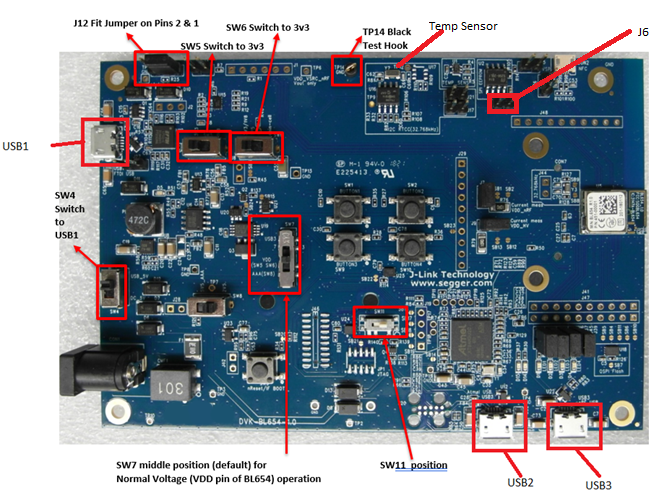
- Power source switch (SW4) to USB_5V
- Switches SW6 and SW5 to 3V3
- Set SW7 in the middle position and SW11 to the right, as shown in Figure 1
- Connect USB1 on the development kit to any spare USB port on your PC via the included USB-A to USB Micro cable.
- In most cases, this should be a plug-and-play operation, but if asked, install the FTDI USB-to-Serial driver (found at http://www.ftdichip.com/FTDrivers.htm).
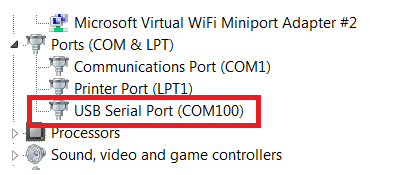
- Ensure that the Windows Device Manager displays a new virtual COM port for the USB-to-Serial adapter.
- Launch UwTerminalX (available at https://github.com/ezurio/UwTerminalX/releases)
- From the Update tab in UwTerminalX, click Check for Updates to ensure you’re using the latest version of UwTerminalX with support for the BL654.
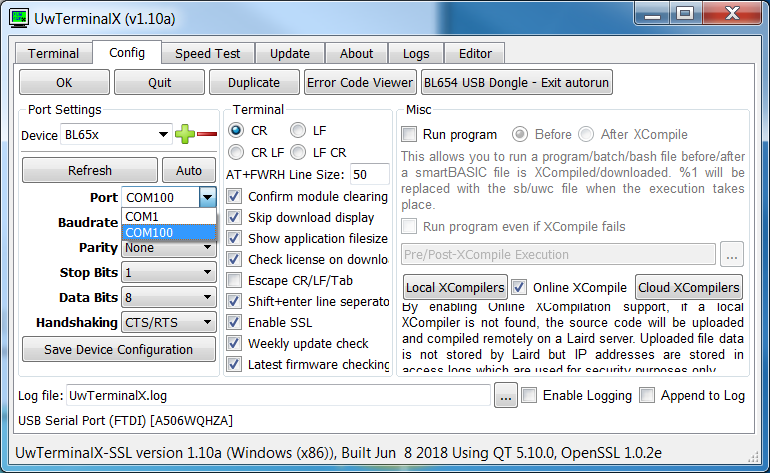
From the Config tab in the Device drop-down menu, select BL65x to populate the baud, parity, stop bits, data bits, and handshaking settings. If BL65x is not a selectable device, set the following:
- Baudrate: 115200
- Parity: None
- Stop Bits: 1
- Data Bits: 8
- Handshaking: CTS/RTS
- In the Port dropdown, select the COM port associated with your development kit.
- At the top of the screen, click OK.
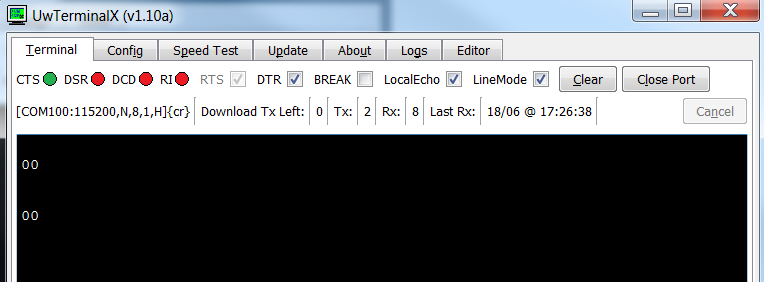
- To test that UwTerminalX is configured correctly and communicating with the module, click Enter. You should get 00 .
- Download and save to your local drive the smartBASIC applications found in https://github.com/ezurio/BL654-Applications/
- Right-click in the UwTerminalX window and select XCompile + Load to load the htss smartBASIC application.
- Navigate to the Applications folder and select the htss.health.thermometer.sensor.custom.sb file.
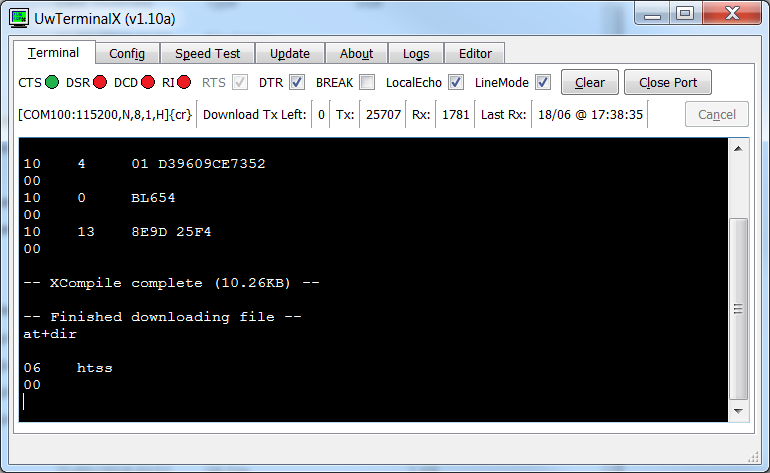
- Wait for the application to compile and load; this should take few seconds. Verify the program is properly loaded by running the at+dir command in UwTerminalX.
- Confirm that htss is displayed (Figure 5).
- Place a jumper on the 2-pin header J6 (see Figure 1) to connect the temperature sensor to the module.
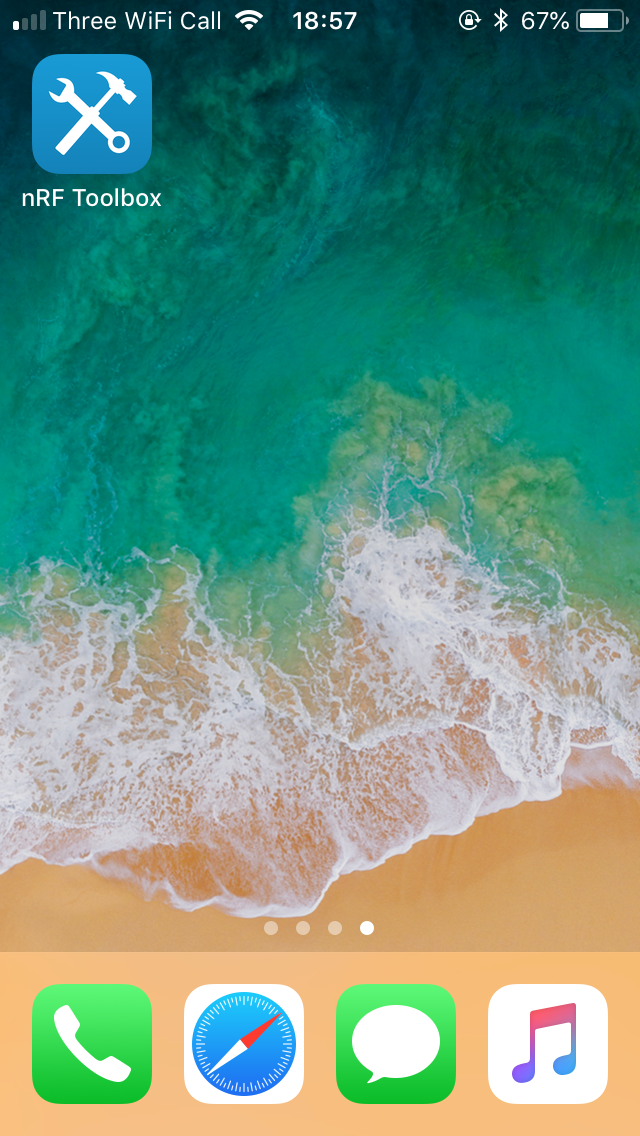
- Search in the App store or Google Play Store for “nRF Toolbox” and install it.
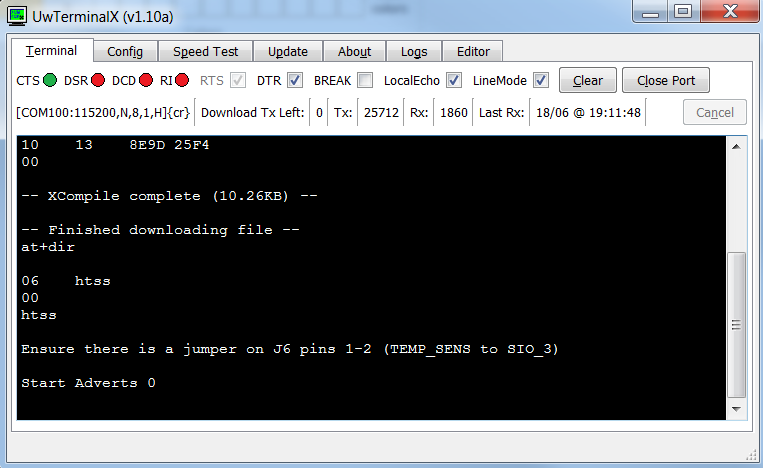
- In UwTerminalX, type htss and click on enter to run the application. The module will start advertising
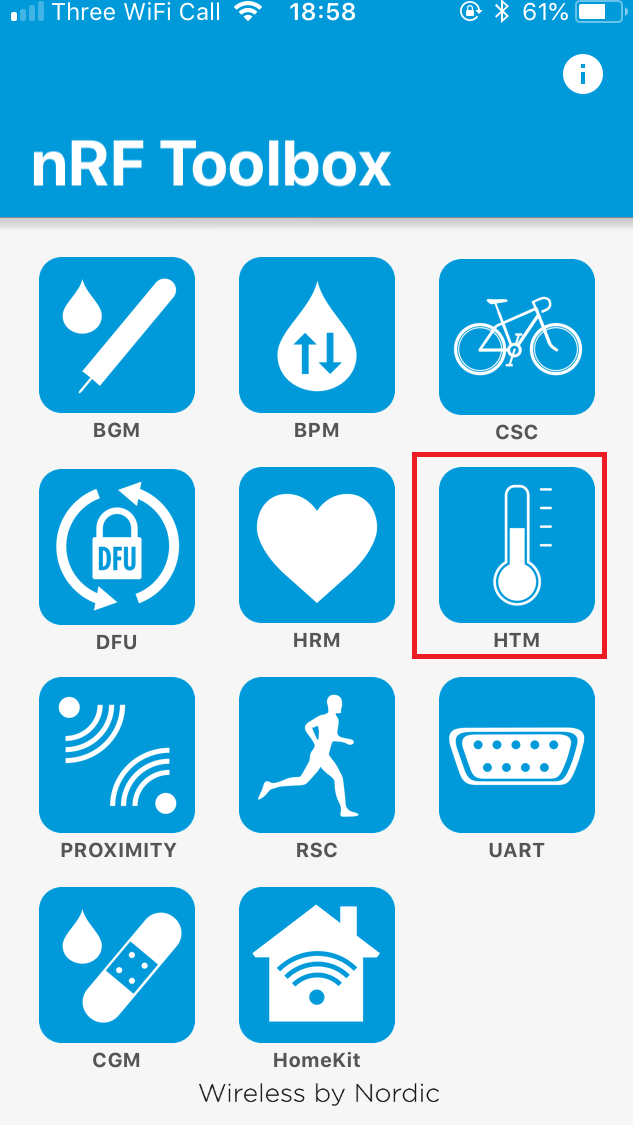
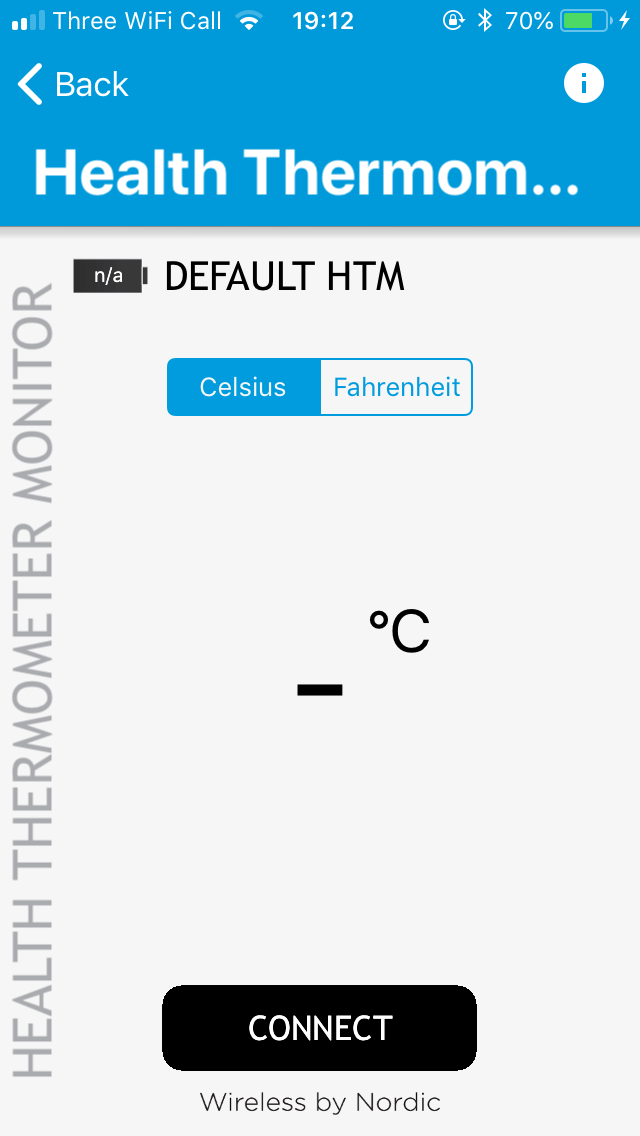
- Open the nRF Toolbox and run HTM.
- Click CONNECT to start searching for the module.
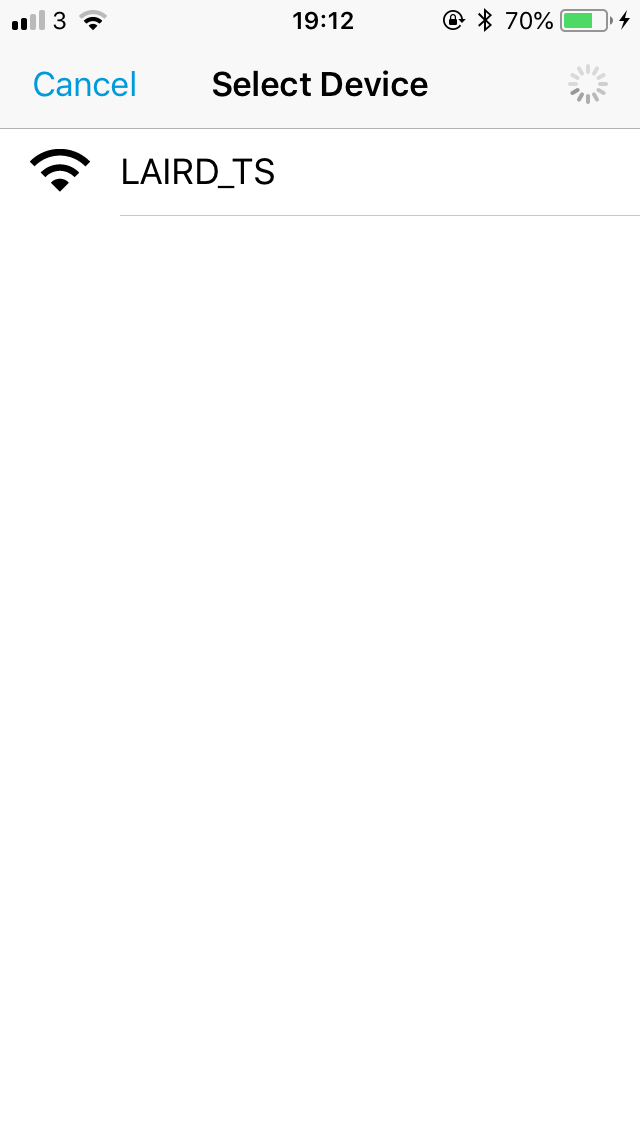
- In the next screen, click to select the BL654 module (EZURIO_TS).
- You are now connected to the module. The application displays the received temperature data from the temperature sensor on the development board.
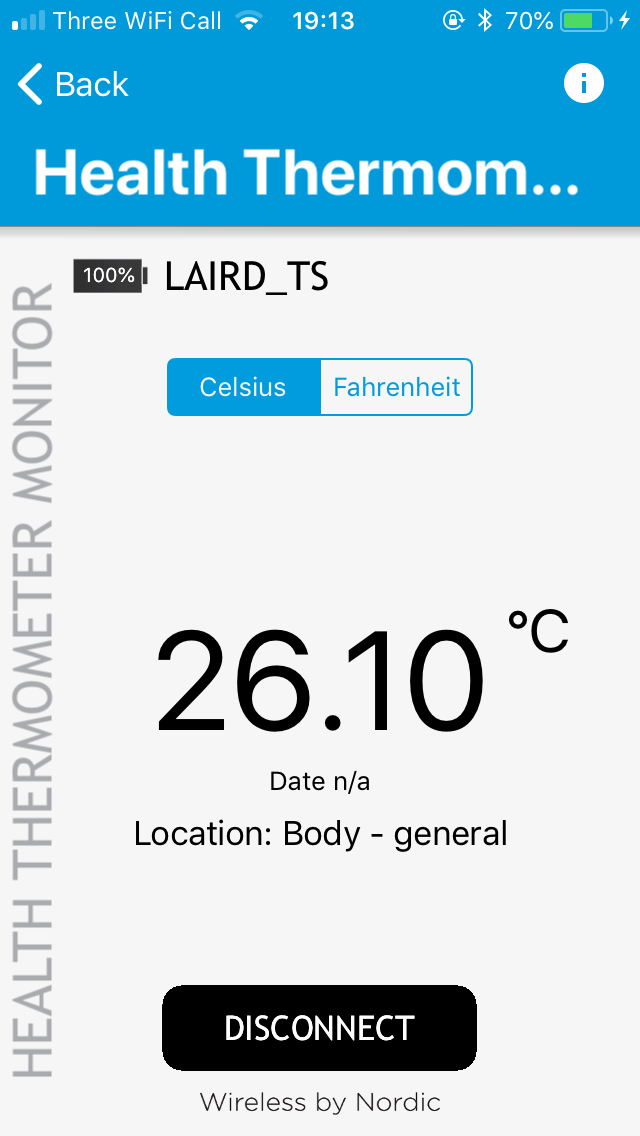
- If you place your figure on the temperature sensor IC (see Figure 1), you should see the temperature reading on the app changing.
Further Information
Further information relating to the BL654 USB dongle is available from the Ezurio BL654 product page:
https://www.ezurio.com/products/bl654-ble-thread-nfc-modules
| Version | Date | Notes | Contributor(s) | Approver |
|---|---|---|---|---|
| 1.0 | 21 June 2018 | Initial Release | Shewan Yitayew | Jonathan Kaye |
| 1.1 | 05 July 2018 | Renamed to Using BL654 Development Kit with Nordic nRFToolbox | Shewan Yitayew | Jonathan Kaye |
| 2.0 | 15 Apr 2025 | Ezurio rebranding | Sue White | Dave Drogowski |