/filters:background_color(white)/2024-09/Tungsten%20700%20-%20MT320%20M.2-1420%20-%20Front.png)
/filters:background_color(white)/2024-06/SMARC_CAR%20Kit.png)
Getting Started
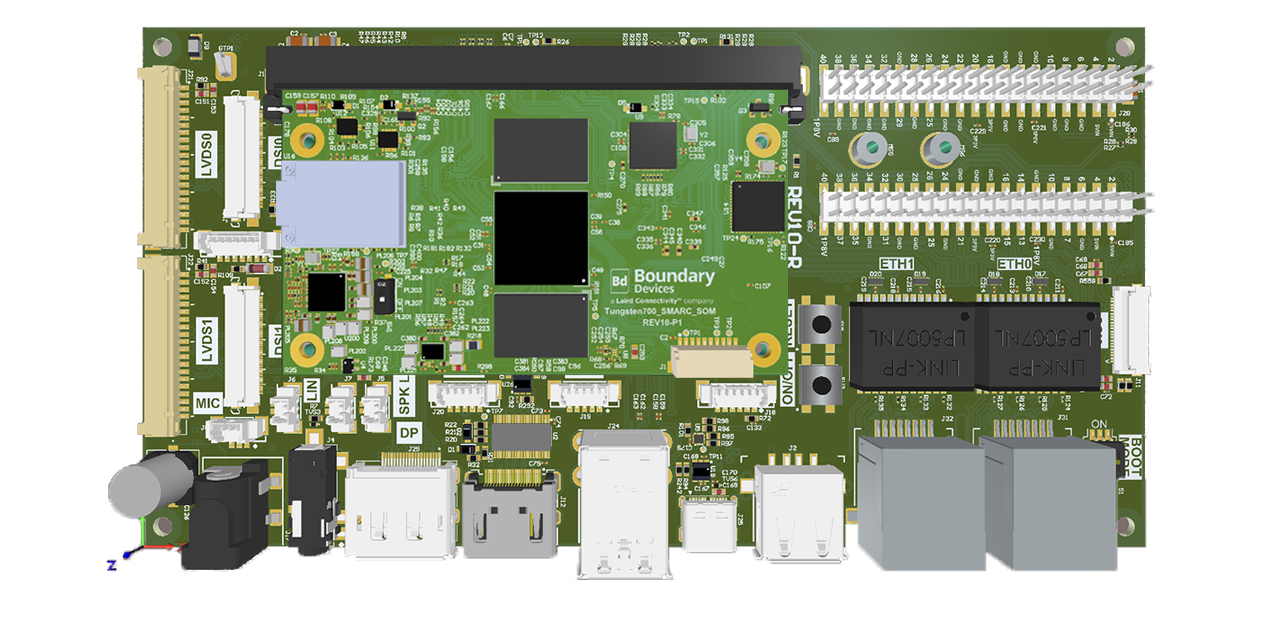
This guide documents how to quickly get up and running with Ezurio's Tungsten 700 SMARC SOM module and Universal SMARC Carrier.
In the Box
The development kit contains the following item:
- 1x Tungsten 700 SMARC SOM
The Tungsten 700 SMARC SOM and Universal SMARC Carrier are shipped separately. The following items are included with the Universal SMARC Carrier:
- 1x Universal SMARC Carrier
- 2x Mounting Screws
- 1x Power Supply 5V
- 1x Serial Cable
On the Board
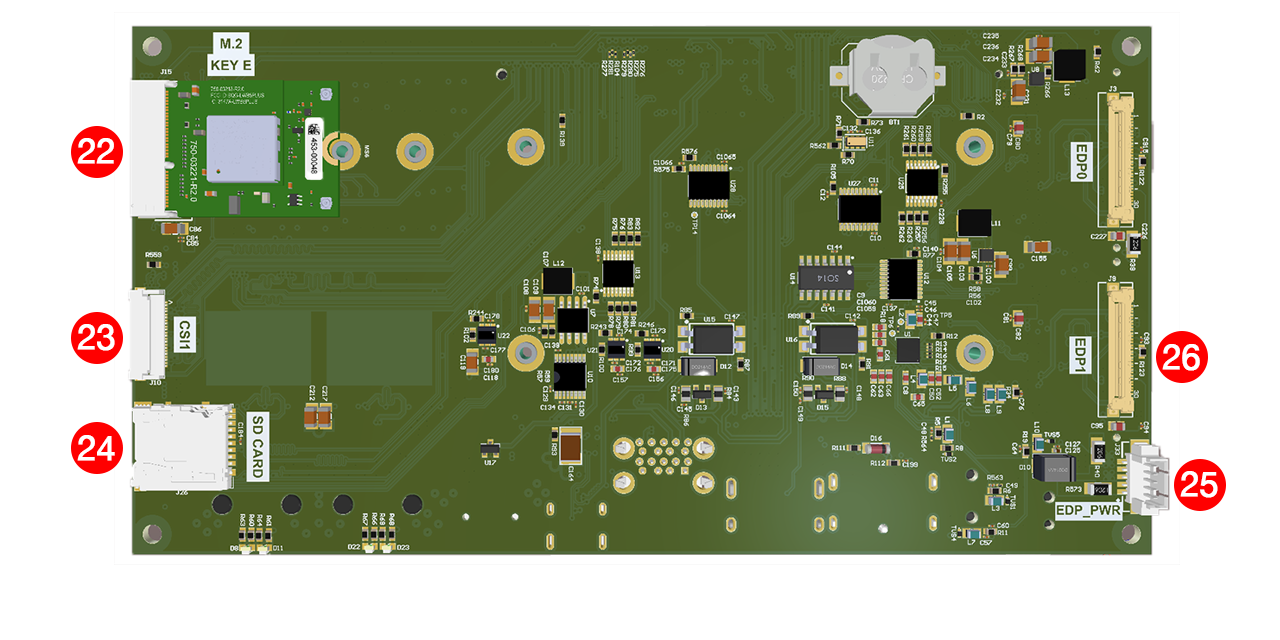
The Tungsten 700 SMARC SOM module and Universal SMARC Carrier contains the following components and interfaces:
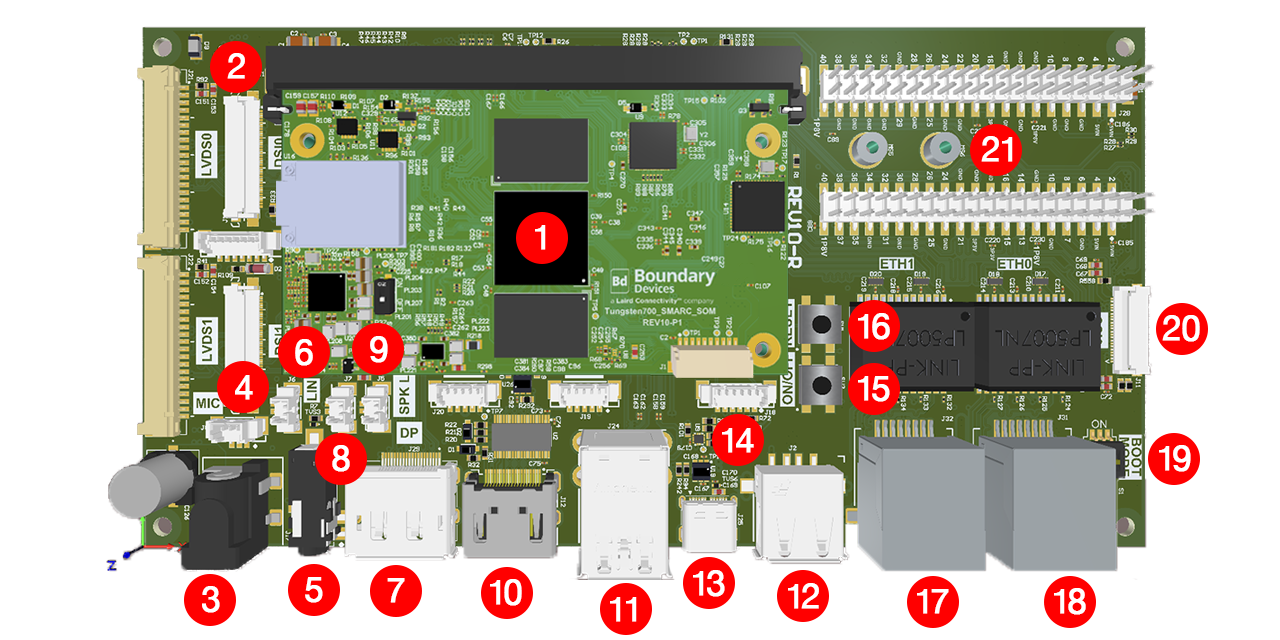
- Tungsten 700 SMARC SOM Module
- DSI 0 Display Connector (J13)
- Barrel Plug Power Adapter (J17)
- 3 Pin Molex Connector for Mic (J8)
- 3.5mm Audio Jack (J4)
- 2 Pin Molex Connector for Line In (J6)
- Display Port (J29)
- 2 Pin Molex Connector for Speaker Right (J7)
- 2 Pin Molex Connector for Speaker Left (J5)
- HDMI Connector (J12)
- 2x USB-A 3.0 Ports (J24)
- 1x USB-A 2.0 Port (J2)
- High-Speed USB-C OTG Connector (J25)
- 6 Pin Molex Connector for Serial (J18)
- On/Off Switch (SW2)
- Reset Switch (SW1)
- Gigabit Ethernet 1 Connector (J32)
- Gigabit Ethernet 0 Connector (J31)
- Boot Mode Switches (S1)
- CSI 0 Connector (J11)
- 2x Expansion Connectors (J27 and J28)
- M.2 Connector (Note: SDIO singals are not wired by default. BOM Option) (J15)
- CSI 1 Connector (J10)
- Micro SD Card Slot (J26)
- EDP Power (J33)
- EDP 1 Connector (J9)
Board Assembly
The Tungsten 700 SMARC SOM module and Universal SMARC Carrier arrive disassembled. In order to assemble, you will need to insert the Tungsten 700 SMARC SOM module into the Universal SMARC Carrier and mount it using the screws.
To assemble, complete the following steps:
-
Insert the Tungsten 700 SMARC SOM module into J1 of the Universal SMARC Carrier.
-
Use the mounting screws to mount the Tungsten 700 SMARC SOM on the Universal SMARC Carrier.
Serial Console
A console cable is provided with our Tungsten 700 SMARC SOM module and Universal SMARC Carrier.
-
Attach the DB9 connector labeled "CONSOLE" to a serial port or a USB-to-Serial Converter.
-
Connect the other end of the console cable to J18 on the SMARC Carrier.
Connecting USB-To-Serial Converter to Linux
Verify mounting information by grepping dmesg. Type the following command:
dmesg | grep ttyUSB
You will notice that it mounts on
/dev/ttyUSB0
Connecting USB-To-Serial Converter to Windows
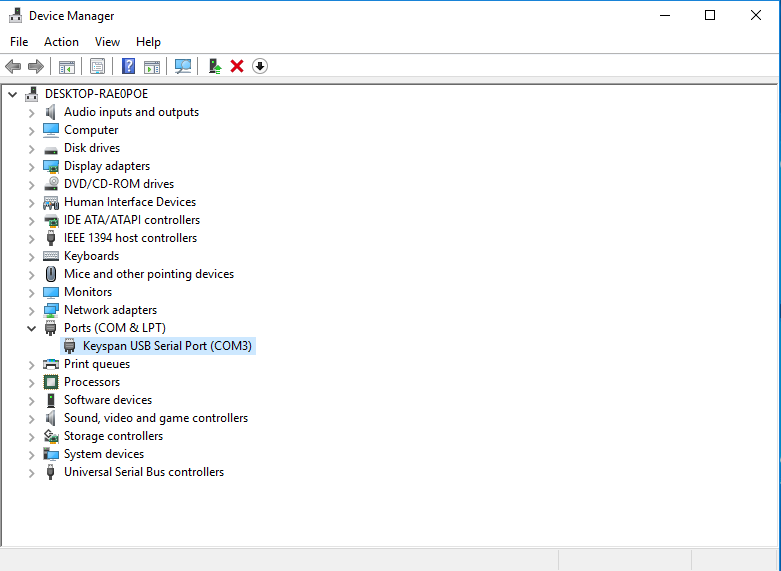
Verify under Device manager.
Serial Configuration
The default serial speed rate is 115200.
Linux: minicom
Use the following command to set the correct permissions:
sudo usermod -a -G dialout $USER
The minicom command is simple:
minicom -wD /dev/ttyUSBx
Windows: PuTTY
Download PuTTY Here
For Windows, you will need to configure the serial port under Device Manager. See the following steps:
-
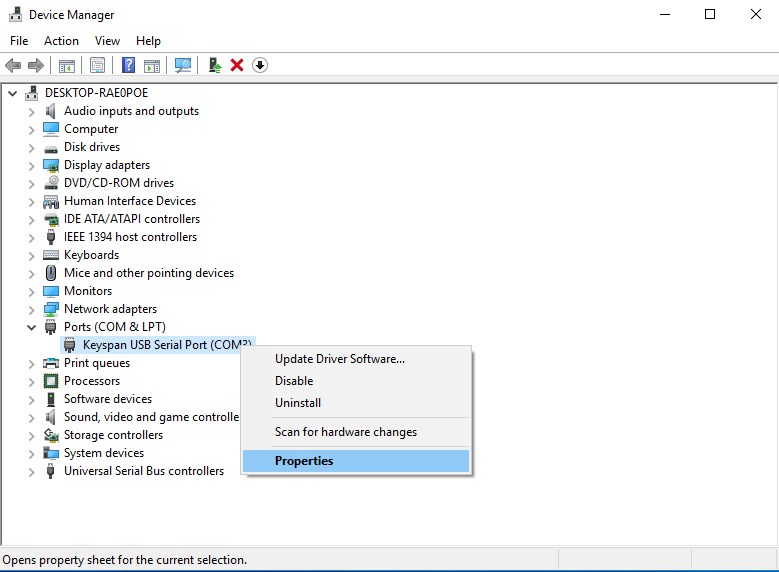
Open up the Device Manager.
-
Expand the Ports (COM & LPT) tab.
-
Right click on Keyspan USB Serial Port and select Properties.
-
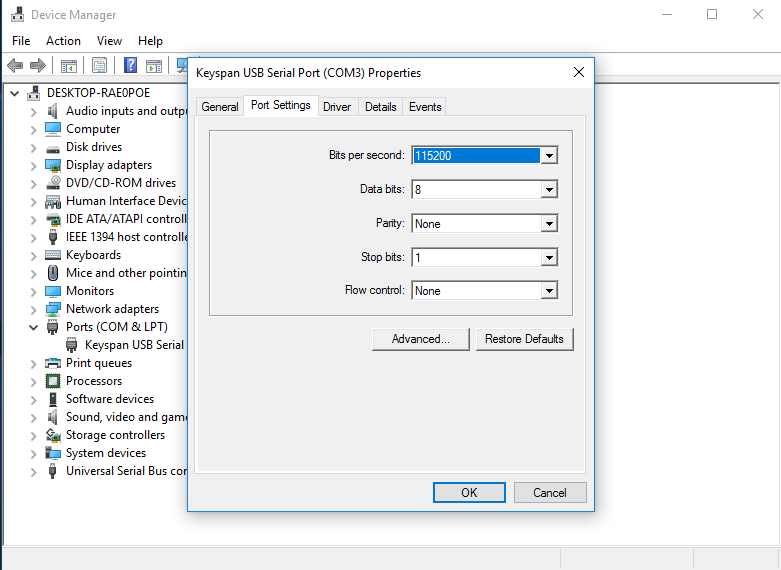
Select the Port Settings tab and change the Bits per Second to 115200.
-
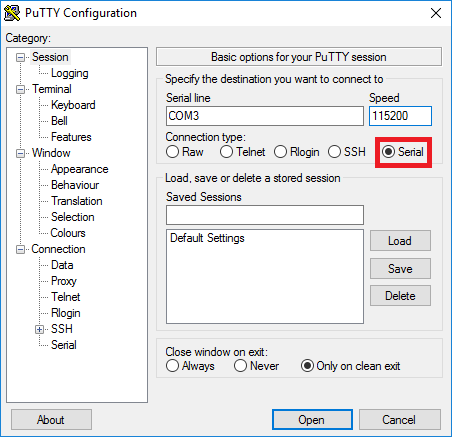
Open PuTTY and select the serial radio button and enter the COM# shown in Device Manager as well as setting the baud rate to 115200 and open the console.
Programming eMMC
Click Here and follow the flashing instructions for the desired associated release.
Additional Resources
Additional resources can be found Here.
Flashing Yocto Kirkstone
Overview
Here you will see an example of how to flash Yocto Kirkstone onto the eMMC of the Tungsten700 SMARC SOM.
Download the Yocto Kirkstone Image Here.
How to Burn
The .zip archive include all the files to be flashed using fastboot.
-
Enter fastboot mode from U-Boot prompt:
fastboot 0 -
Unzip the image using the following command:
unzip *-tungsten-700-smarc-yocto-kirkstone.zip -d Tungsten700-Yocto cd Tungsten700-Yocto -
Flash the image. Flash bl2.img to mmc0boot0 partition using the following command:
~/Tungsten700-Yocto$ fastboot flash mmc0boot0 bl2.img -
Flash wic.img to mmc0 partition using the following command:
~/Tungsten700-Yocto$ fastboot flash mmc0 rity-demo-image-tungsten-700-smarc.wic.img