/filters:background_color(white)/2024-03/Sona%20MT320%20Family%281%29.png)
Introduction
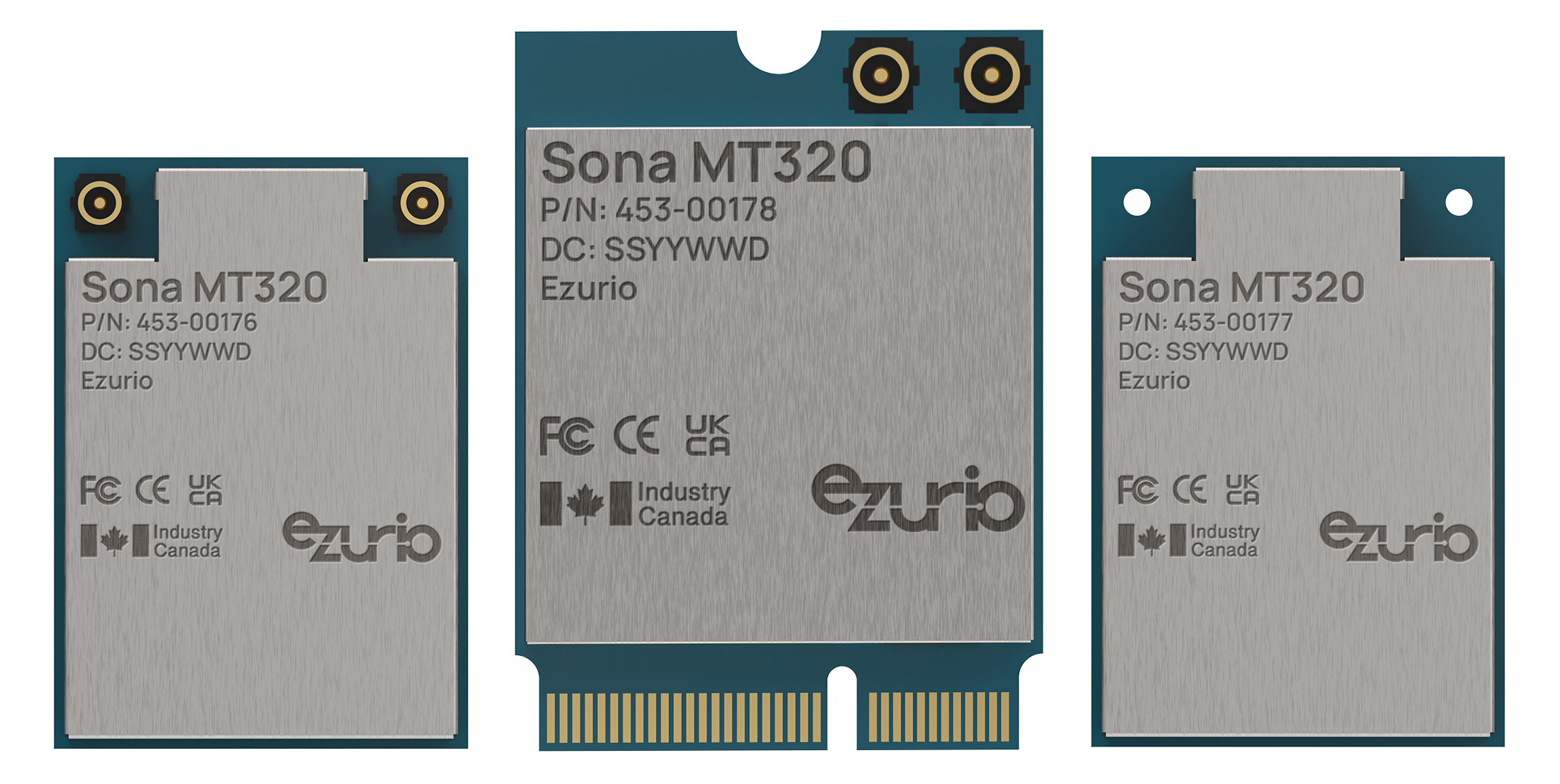
This guide covers tutorials related to our Sona MT320 series of Wi-Fi 6 + Bluetooth® 5.4 modules.
The Sona MT320 is the first industrial grade Wi-Fi/BT module based upon the technology leading MediaTek Filogic 320 (MT7921) Wi-Fi 6 chipset. A truly robust industrial IoT module: one that’s rugged, small, globally certified, has reliable connectivity, and is easy to integrate.
For full product specifications, documentation, ordering information, and more, please visit the Sona MT320 Series page on Ezurio.com.
Contents
Integrating the Sona MT320 in Your Genio 510/700 EVK
Integrating the Ezurio Sona MT320 in Your Genio 510/700
This tutorial shows how to integrate the Ezurio Sona MT320 Radio into a Mediatek Genio 510 or Genio 700 EVK or MPU.
Note: If you are using either the Ezurio Tungsten510 SMARC SOM or the Ezurio Tungsten700 SMARC SOM, the MT320 is the default wireless option stocked on the SOM. Software for the Tungsten SOMs is available here:
Setup
The Sona MT320 supports SDIO 3.0 for both the Wi-Fi and HCI Bluetooth as well as PCM for Bluetooth Audio. The radio comes in two form factors either M.2 1420 SMT or M.2 2230 E Key pluggable. Please see the Datasheet and Integration Guide for information to integrate the radio into your device.
Steps
Download the Genio SDK
Instructions for downloading and building the yocto image can be found on Mediatek's website: IoT Yocto Overview
Add Ezurio's Power Tables
The power tables for the MT320 are built into the device tree. A patch needs to be added to your kernel recipe. Download the patch here: Patch
Add the patch as is to your kernel using bbappend. You will then have to create a patch for your DTS. It will look simialr to this:
From 6b74d5a3c7801d4a3a5d77b4ef7d4b4c68a10425 Mon Sep 17 00:00:00 2001
From: Gary Bisson <gary.bisson@boundarydevices.com>
Date: Thu, 28 Mar 2024 12:06:10 +0100
Subject: [PATCH] arm64: dts: mt83x0-tungsten-smarc: include mt320 power tables

Signed-off-by: Gary Bisson <gary.bisson@boundarydevices.com>
 arch/arm64/boot/dts/mediatek/mt83x0-tungsten-smarc.dtsi | 1 +
 1 file changed, 1 insertion(+)

diff --git a/arch/arm64/boot/dts/mediatek/mt83x0-tungsten-smarc.dtsi b/arch/arm64/boot/dts/mediatek/mt83x0-tungsten-smarc.dtsi
index 6b0ad0c76841..1a0414052fa0 100644
--- a/arch/arm64/boot/dts/mediatek/mt83x0-tungsten-smarc.dtsi
+++ b/arch/arm64/boot/dts/mediatek/mt83x0-tungsten-smarc.dtsi
@@ -669,6 +669,7 @@
    vmmc-supply = <&sdio_fixed_3v3>;
    vqmmc-supply = <&mt6359_vcn18_ldo_reg>; // VCN18_WIFI
    mmc-pwrseq = <&wifi_pwrseq>;
+#include "mt7921-mt320-tables.dtsi"
 };

 &spi0 {
The above is an example. Your file will be specific to your device tree settings.
Note: To leverage Ezurio's regulatory grants you must use our power tables.
Regulatory Tool - wifitest
To set the regulatory domain on the Sona MT320, two options are available:
- Yocto option: Based on the MediaTek processor yocto image and adding wifitest recipe, which you will need to get from MediaTek yourself.
- Android option: Based on the Tungsten 700 SMARC card and carrier board, and loading the Android pre-built image.
For this document, we will explore the setup based on the Android option.
Requirements
- Tungsten700 SMARC
- SMARC_CAR Development Kit
- Universal SMARC Carrier Board
- Dual DB9 Serial Cable
- BD 5V Adapter
- BD AC Cable
- HDMI Cable
- USB Type A to C Cable
ADB Tool and Driver Setup in Windows 10/11
-
Install the ADB tool in Windows 10 / Windows 11 in order to access/debug the Android system via the Tungsten700 SOM. For detailed setup, please refer to the following link: https://www.ezurio.com/documentation/android-tools-for-nitrogen-platforms-on-windows10-11
-
If using Windows 10, you may need the ADB driver (Windows 11 may have native support already): latest_usb_driver_windows.zip
-
Connect the USB cable between Windows 10/11 PC and SMARC_CAR development Kit.
If the ADB driver works properly, you will see the Android device in device manager: 
Or as an USB device as below: 
ADB Tool to Access Android Device
Use standard Windows Command Prompt (cmd).
Type adb devices in Commmand Prompt. You should be able to find the device as below.
Windows PowerShell
Copyright (C) Microsoft Corporation. All rights reserved.
Install the latest PowerShell for new features and improvements! https://aka.ms/PSWindows
PS C:\Android\platform-tools> adb devices
* daemon not running; starting now at tcp:5037
* daemon started successfully
List of devices attached
0123456789ABCDEF        device
Then type the following commands. You should then be able to enter Tungsten700 SOM Android system.
_$ > adb root
_$ > adb disable-verity
_$ > adb remount
_$ > adb reboot
The Tungsten700 Android system will reboot after this command. Wait until the system boots up, then type the next command:
_$ > adb shell

PS C:\Android\platform-tools> adb root
restarting adbd as root
PS C:\Android\platform-tools> adb disable-verity
disable-verity only works for userdebug builds
PS C:\Android\platform-tools> adb remount
remount succeeded
PS C:\Android\platform-tools> adb reboot
PS C:\Android\platform-tools> adb shell
aiot8390p6_64_bsp:/ $
Run into Test Mode via wifitest Tool
Follow the steps below under the ads shell command prompt:
-
check soc_id:
aiot8390p6_64_bsp:/ $ cat /sys/devices/soc0/soc_id MT8390AV/A -
Check if wifi interface is up (if not, you'll need to enable WiFi via the Android panel):
aiot8390p6_64_bsp:/ $ ifconfig lo Link encap:Local Loopback inet addr:127.0.0.1 Mask:255.0.0.0 inet6 addr: ::1/128 Scope: Host UP LOOPBACK RUNNING MTU:65536 Metric:1 RX packets:0 errors:0 dropped:0 overruns:0 frame:0 TX packets:0 errors:0 dropped:0 overruns:0 carrier:0 collisions:0 txqueuelen:1000 RX bytes:0 TX bytes:0 dummy0 Link encap:Ethernet HWaddr d6:3d:fa:ed:f9:32 inet6 addr: fe80::d43d:faff:feed:f932/64 Scope: Link UP BROADCAST RUNNING NOARP MTU:1500 Metric:1 RX packets:0 errors:0 dropped:0 overruns:0 frame:0 TX packets:2 errors:0 dropped:0 overruns:0 carrier:0 collisions:0 txqueuelen:1000 RX bytes:0 TX bytes:140 eth0 Link encap:Ethernet HWaddr 66:dd:58:55:e8:da Driver lan78xx UP BROADCAST MULTICAST MTU:1500 Metric:1 RX packets:0 errors:0 dropped:0 overruns:0 frame:0 TX packets:0 errors:0 dropped:0 overruns:0 carrier:0 collisions:0 txqueuelen:1000 RX bytes:0 TX bytes:0 eth1 Link encap:Ethernet HWaddr 00:55:7b:b5:7d:f7 Driver dwmac-mediatek UP BROADCAST MULTICAST MTU:1500 Metric:1 RX packets:0 errors:0 dropped:0 overruns:0 frame:0 TX packets:0 errors:0 dropped:0 overruns:0 carrier:0 collisions:0 txqueuelen:1000 RX bytes:0 TX bytes:0 Interrupt:81 Base address:0x8000 wlan0 Link encap:Ethernet HWaddr 5e:67:44:f2:96:d8 Driver wlan UP BROADCAST MULTICAST MTU:1500 Metric:1 RX packets:0 errors:0 dropped:0 overruns:0 frame:0 TX packets:0 errors:0 dropped:0 overruns:0 carrier:0 collisions:0 txqueuelen:3000 RX bytes:0 TX bytes:0 -
Enter test mode with command
wifitest -Oaiot8390p6_64_bsp:/ # wifitest -O Query Ddie free block: 23 total block 60 copy from /vendor/firmware/EEPROM_MT7961_1.bin to /data/EEPROM_MT7961_1.bin /data/EEPROM_MT7961_1.bin is ready -
Dump all data in EEPROM with command
wifitest -H 1aiot8390p6_64_bsp:/ # wifitest -H 1 current_mode is 1 fread result 0 open_eeprom_file (/data/EEPROM_MT7961_1.bin) size 2560 bytes main u4EepromSize 2560 0 1 2 3 4 5 6 7 8 9 A B C D E F 0 61 79 00 00 e8 cb f5 00 03 5c 00 00 00 00 00 00 10 00 00 00 00 00 00 00 00 00 00 00 00 00 00 00 00 20 38 00 36 00 00 00 00 00 00 00 00 00 00 00 00 00 30 00 00 00 00 00 00 00 00 00 00 00 00 00 00 00 00 40 93 4f 00 00 00 80 82 11 00 00 04 20 01 01 00 00 50 05 00 00 00 00 00 00 00 00 00 00 00 00 00 00 00 60 00 00 00 00 00 00 00 00 00 00 00 00 00 00 00 00 70 00 00 00 00 00 87 08 00 00 00 01 00 00 00 00 00 80 00 00 00 00 00 00 00 00 00 00 00 00 00 00 00 00 90 00 00 00 00 00 00 00 00 00 00 00 00 00 00 00 00 a0 00 00 00 00 00 00 00 00 00 00 00 00 00 00 00 00 b0 00 00 00 00 00 00 00 00 00 00 00 00 b8 07 73 24 c0 3e 89 17 6a 00 20 00 00 00 00 00 00 00 00 00 00 d0 00 00 00 00 00 00 00 00 00 00 00 00 00 00 00 20 e0 00 00 00 00 00 00 00 00 24 34 01 51 00 00 00 00 f0 00 00 02 00 00 00 00 00 00 44 00 00 00 00 00 00 100 00 04 00 00 00 00 00 00 00 00 00 00 00 00 00 00 110 00 00 00 00 00 00 00 00 00 00 00 00 00 00 00 00 120 00 00 00 00 00 00 00 00 00 00 00 00 00 00 00 00 130 00 00 00 00 00 00 00 00 67 e8 cb f5 00 03 5d 00 140 00 00 00 00 00 47 07 07 00 0c 0c 0f 00 11 00 00 150 00 00 00 00 00 00 00 00 00 00 00 00 00 00 00 00 160 00 00 00 00 24 00 23 23 23 23 23 23 23 23 21 21 170 21 21 21 21 1f 1f 1f 1f 00 00 00 00 00 00 00 00 180 00 00 00 00 00 00 00 00 00 00 00 00 00 00 00 00 190 00 00 03 04 04 04 04 03 04 04 04 04 00 00 00 00 1a0 00 00 83 83 83 83 83 83 83 83 83 83 83 83 83 83 1b0 83 83 83 83 88 88 88 88 88 88 88 88 88 88 00 00 1c0 83 83 83 83 83 83 83 83 83 83 85 85 88 88 88 88 1d0 88 88 88 88 88 88 88 88 c4 c4 c4 c3 c3 c2 c1 00 1e0 82 83 85 85 c4 c4 c4 c3 c3 c2 c1 00 82 83 85 85 1f0 c4 c4 c4 c3 c3 c2 c1 00 82 83 85 85 c1 c1 c1 c1 200 c1 c1 c1 c1 c1 c1 c1 c1 c1 c1 c1 00 82 82 c1 c1 210 c1 c1 c1 c1 c1 00 82 82 82 82 82 82 82 82 82 82 220 82 82 00 00 00 00 00 c1 c1 c1 c1 c1 c1 c1 00 82 230 82 86 86 c1 c1 c1 c1 c1 c1 c1 00 82 82 87 87 82 240 82 82 82 82 82 82 82 82 82 87 87 c5 c5 c5 c3 c3 250 c2 c2 00 82 82 86 86 c5 c5 c5 c3 c3 c2 c2 00 82 260 82 86 86 c5 c5 c5 c3 c3 c2 c2 00 82 82 86 86 00 270 00 00 00 00 00 00 00 00 00 00 00 00 00 00 00 00 280 00 00 00 00 00 00 00 00 00 00 00 00 00 00 00 00 290 00 80 80 f5 fe 03 12 1f 80 80 f2 07 07 09 17 80 2a0 80 e6 f4 fe 0b 18 e1 ed f4 00 07 10 20 e1 ed f4 2b0 00 07 10 30 dc e4 f0 f7 03 0a 13 00 00 00 00 00 2c0 00 00 00 00 00 00 00 00 00 00 00 00 00 00 00 00 2d0 00 00 00 00 00 00 00 00 00 00 00 00 00 00 00 00 2e0 00 00 00 00 00 00 00 00 00 00 00 00 00 00 00 00 2f0 00 00 00 00 00 00 00 00 00 00 00 00 00 00 00 00 300 00 00 00 00 00 00 00 00 00 00 00 00 00 00 00 00 310 00 00 00 00 00 00 00 00 00 00 00 00 00 00 00 00 320 00 00 00 00 00 00 00 00 00 00 00 00 00 00 00 00 330 00 00 00 00 00 00 00 00 00 00 00 00 00 00 00 00 340 00 00 00 00 00 00 00 00 00 00 00 00 00 00 00 00 350 00 00 00 00 00 00 00 00 00 00 00 00 00 00 00 00 360 00 00 00 00 00 00 00 00 00 00 00 00 00 00 00 00 370 00 00 00 00 00 00 00 00 00 00 00 00 00 00 00 00 380 00 00 00 00 00 00 00 00 00 00 00 00 00 00 00 00 390 00 00 00 00 00 00 ff 92 10 88 b9 a1 12 0c 18 30 3a0 60 65 c6 94 02 0c 18 30 60 e6 0a 10 82 10 80 00 3b0 00 00 00 00 00 00 00 00 00 00 00 00 00 00 00 00 3c0 00 00 00 00 00 00 00 00 00 00 00 00 00 00 00 00 3d0 00 00 00 00 00 00 00 00 00 00 00 00 00 00 00 00 3e0 00 00 00 00 00 00 00 00 00 00 00 00 00 00 00 00 3f0 00 00 00 00 00 00 00 00 00 00 00 00 00 00 00 00 400 b7 a8 00 81 00 00 83 c8 00 05 00 00 00 00 00 8d 410 00 00 00 00 00 0a 00 00 02 8b 8b f3 e7 b9 89 c8 420 4b 9e 1f d2 a0 8a a0 8a a0 b9 00 6d 40 6d 40 00 430 82 f9 00 00 00 00 00 00 00 00 00 00 00 00 00 00 440 00 00 00 00 00 00 00 00 00 00 00 00 00 00 00 00 450 00 00 00 00 00 00 00 00 00 00 00 00 00 00 00 00 460 00 00 00 00 00 00 00 00 00 00 00 00 00 00 00 00 470 00 00 00 00 00 00 00 00 00 00 00 00 00 00 00 00 480 00 e1 ed f4 00 07 10 30 e1 ed f4 00 07 10 30 d9 490 e1 ed f4 00 07 10 00 00 00 00 00 00 00 00 00 00 4a0 00 00 00 00 00 00 00 00 00 00 00 00 00 00 00 00 4b0 00 00 00 00 00 00 00 00 00 00 00 00 00 00 00 00 4c0 00 c1 00 80 82 84 84 82 82 82 00 00 00 00 00 00 4d0 00 00 00 00 c2 00 80 82 84 80 80 80 80 00 00 00 4e0 00 00 00 00 00 00 00 c4 00 80 84 84 84 84 80 82 4f0 00 00 00 00 00 00 00 00 00 00 c4 00 80 84 82 80 500 82 80 80 00 00 00 00 00 00 00 00 00 00 00 00 c0 510 c1 00 00 00 00 00 00 00 81 00 00 00 00 00 00 00 520 00 00 c1 00 00 00 00 00 00 00 00 81 00 00 00 00 530 00 00 00 00 00 82 00 00 00 00 00 00 00 00 00 00 540 00 00 00 00 00 00 00 00 00 00 00 00 00 00 00 00 550 00 00 00 00 00 00 00 00 00 00 00 00 00 00 00 00 560 00 00 00 00 00 00 00 00 00 00 00 00 00 00 00 00 570 00 00 00 00 00 00 00 00 00 00 00 00 00 00 00 00 580 00 00 00 00 00 00 00 00 00 00 00 00 00 00 00 00 590 00 00 00 00 00 00 00 00 00 00 00 00 00 00 00 00 5a0 06 32 00 66 66 66 66 66 66 66 66 aa aa aa aa aa 5b0 aa aa aa aa aa 00 00 00 00 00 00 00 00 00 00 00 5c0 00 00 00 00 00 00 00 00 00 00 00 00 00 00 00 00 5d0 00 00 00 00 00 00 00 00 00 00 00 00 00 00 00 00 5e0 00 00 00 00 00 00 00 00 00 00 00 00 00 00 00 00 5f0 00 00 00 00 00 00 00 00 00 00 00 00 00 00 00 00 600 28 1e 08 00 0a 01 08 02 0a 02 0a 01 0c 03 0b 08 610 0a 06 0b 0d 05 85 0e 07 0c 08 10 09 0b 01 11 09 620 10 06 05 84 8a 91 00 00 00 00 00 00 00 00 00 00 630 00 00 00 00 00 00 00 00 00 00 00 00 00 00 00 00 640 00 00 00 00 00 00 00 00 00 00 00 00 00 00 00 00 650 00 00 00 00 00 00 00 00 00 00 00 00 00 00 00 00 660 00 00 00 00 00 00 00 00 00 00 00 00 00 00 00 00 670 00 00 00 00 00 00 00 00 00 00 00 00 00 00 00 00 680 00 00 00 00 00 00 00 00 00 00 00 00 00 00 00 00 690 00 00 00 00 00 00 00 00 00 00 00 00 00 00 00 00 6a0 00 00 00 00 00 00 00 00 00 00 00 00 00 00 00 00 6b0 00 00 00 00 00 00 00 00 00 00 00 00 00 00 00 00 6c0 00 00 00 00 00 00 00 00 00 00 00 00 00 00 00 00 6d0 00 00 00 00 00 00 00 00 00 00 00 00 00 00 00 00 6e0 00 00 00 00 00 00 00 00 00 00 00 00 00 00 00 00 6f0 00 00 00 00 00 00 00 00 00 00 00 00 00 00 00 00 700 00 00 00 00 00 00 00 00 00 00 00 00 00 00 00 00 710 00 00 00 00 00 00 00 00 00 00 00 00 00 00 00 00 720 00 00 00 00 00 00 00 00 00 00 00 00 00 00 00 00 730 00 00 00 00 00 00 00 00 00 00 00 00 00 00 00 00 740 00 00 00 00 00 00 00 00 00 00 00 00 00 00 00 00 750 00 00 00 00 00 00 00 00 00 00 00 00 00 00 00 00 760 00 00 00 00 00 00 00 00 00 00 00 00 00 00 00 00 770 00 00 00 00 00 00 00 00 00 00 00 00 00 00 00 00 780 00 00 00 00 00 00 00 00 00 00 00 00 00 00 00 00 790 00 00 00 00 00 00 00 00 00 00 00 00 00 00 00 00 7a0 00 00 00 00 00 00 00 00 00 00 00 00 00 00 00 00 7b0 00 00 00 00 00 00 00 00 00 00 00 00 00 00 00 00 7c0 00 00 00 00 00 00 00 00 00 00 00 00 00 00 00 00 7d0 00 00 00 00 00 00 00 00 00 00 00 00 00 00 00 00 7e0 00 00 00 00 00 00 00 00 00 00 00 00 00 00 00 00 7f0 00 00 00 00 00 00 00 00 00 00 00 00 00 00 00 00 800 00 00 00 00 00 00 00 00 00 00 00 00 00 00 00 00 810 00 00 00 00 00 00 00 00 00 00 00 00 00 00 00 00 820 00 00 00 00 00 00 00 00 00 00 00 00 00 00 00 00 830 00 00 00 00 00 00 00 00 00 00 00 00 00 00 00 00 840 00 00 00 00 00 00 00 00 00 00 00 00 00 00 00 00 850 00 00 00 00 00 00 00 00 00 00 00 00 00 00 00 00 860 00 00 00 00 00 00 00 00 00 00 00 00 00 00 00 00 870 00 00 00 00 00 00 00 00 00 00 00 00 00 00 00 00 880 00 00 00 00 00 00 00 00 00 00 00 00 00 00 00 00 890 00 00 00 00 00 00 00 00 00 00 00 00 00 00 00 00 8a0 00 00 00 00 00 00 00 00 00 00 00 00 00 00 00 00 8b0 00 00 00 00 00 00 00 00 00 00 00 00 00 00 00 00 8c0 00 00 00 00 00 00 00 00 00 00 00 00 00 00 00 00 8d0 00 00 00 00 00 00 00 00 00 00 00 00 00 00 00 00 8e0 00 00 00 00 00 00 00 00 00 00 00 00 00 00 00 00 8f0 00 00 00 00 00 00 00 00 00 00 00 00 00 00 00 00 900 00 00 00 00 00 00 00 00 00 00 00 00 00 00 00 00 910 00 00 00 00 00 00 00 00 00 00 00 00 00 00 00 00 920 00 00 00 00 00 00 00 00 00 00 00 00 00 00 00 00 930 00 00 00 00 00 00 00 00 00 00 00 00 00 00 00 00 940 03 83 00 83 83 0f 0f 00 00 00 00 00 00 00 00 6c 950 6c 00 00 00 00 00 10 00 0e 00 0f 00 19 00 23 00 960 01 01 01 01 00 00 00 00 00 00 00 00 06 06 06 06 970 06 05 00 00 00 00 00 00 00 00 00 00 00 00 00 00 980 00 00 00 00 0d 1a 27 34 41 00 00 00 00 00 00 00 990 00 00 00 00 00 00 00 00 00 00 00 00 00 00 00 00 9a0 00 0d 1a 27 34 41 00 00 00 00 00 00 00 00 00 00 9b0 00 00 00 00 00 00 00 00 00 00 00 00 00 00 0d 1a 9c0 27 34 41 00 00 00 00 00 00 00 00 00 00 00 00 00 9d0 00 00 00 00 00 00 00 00 00 00 00 0d 1a 27 34 41 9e0 00 00 00 00 00 00 00 00 00 00 00 00 00 00 00 00 9f0 00 00 00 00 00 00 00 00 00 00 00 00 00 00 00 00 -
Use the command
wifitest -C -J1to open the file dumped from EEPROM and save the content to internal buffer. Set buffer mode to the firmware.aiot8390p6_64_bsp:/ # wifitest -C -J 1 i-cal mode buffer_mode_content_source = 1 Source from eeprom bin fread result 0 open_eeprom_file (/data/EEPROM_MT7961_1.bin) size 2560 bytes -
Enable SingleSku TX power limitation with the command
wifitest --stoplimit 0aiot8390p6_64_bsp:/ # wifitest --stoplimit 0 Enable singleSKU TX power limitation
Most common commands in wifitest tool
You can use the wifitest command to decide which channel, which rate, which antenna to be configured during regulation test. Following are the most common test commands.
TX/RX commands
-
Channel number
Command: -c Description: Set Channel number. Definition (value range, 2.4G [1~14]/5G [36/40/44/48/52/56/60/64/100/…/161/165]
- wifitest -c 1 : CH1
- wifitest -c 36 : CH36
-
Set channel bandwidth
Command: -b Description: Set channel bandwidth for 802.11a/b/g/n/ac/ax mode. Definition:
- wifitest -b 0 : BW 20
- wifitest -b 1 : BW 40
- wifitest -b 2 : BW 80
-
Set TX/RX period
Command: -S Description: Set TX/RX test period in seconds. Definition:
- wifitest -S 0 : unlimited packets
- wifitest -S 10 : transmit/receive packets for 10 seconds.
TX commands
-
Set TX mode
Command: -t Definition:
- wifitest -t 0 : a/b/g mode
- wifitest -t 1 : n mode
- wifitest -t 2 : ac mode
- wifitest -t 3 : ax mode
-
Set Data Bandwidth
Command: -Y Description: Set data bandwidth. Definition:
- wifitest -Y 0 : BW 20
- wifitest -Y 1 : BW 40
- wifitest -Y 2 : BW 80
Note: It is always as same as channel bandwidth.
-
Set Legacy Rate
Command: -R Description: Set legacy rate code for a/b/g mode Definition:
- wifitest -R 1: 1M (CCK)
- wifitest -R 2: 2M (CCK)
- wifitest -R 3: 5.5M (CCK)
- wifitest -R 4: 6M
- wifitest -R 5: 9M
- wifitest -R 6: 11M (CCK)
- wifitest -R 7: 12M
- wifitest -R 8: 18M
- wifitest -R 9: 24M
- wifitest -R 10: 36M
- wifitest -R 11: 48M
- wifitest -R 12: 54M
-
Set HT/VHT Rate
Command: -N Description: Set MCS rate for n/ac. Definition (Value range [0~15/32]):
- wifitest -N 0 : MCS0
- wifitest -N 7 : MCS7
- wifitest -N 8 : MCS8
- wifitest -N 9 : MCS9
-
Set Frame Burst Interval
Command: -i Description: Set SIFS interval. Definition:
- wifitest -i 30
-
Set TX Test Packet Number
Command: -n Description: Set TX test packet number. Definition:
- wifitest -n 0 : unlimited packets
- wifitest -n 1000: transmit 1000 packets
-
Set Preamble
Command: -s Description: Set preamble. Definition:
- wifitest -s 0 : short preamble
- wifitest -s 1 : long preamble
-
Set TX Path
Command: -y Description: Set Tx Path Definition:
- wifitest -y 1: TX0
- wifitest -y 2: TX1
- wifitest -y 3: TX0+TX1
-
Set Stream Number
Command: -# Description: MIMO control, set stream number. Definition:
- wifitest -# 1: one stream.
- wifitest -# 2: two streams.
Note: In VHT MIMO use -# 2 -y 3, duplicate two path use -# 1 -y 3
-
Set Packet Length
Description: Set packet length Value: Wifitest -l Example: Wifitest -l 1024
Note: 7668, 24 <= packet length <= 4095, -l is lower case of L If you do not set -l, default packet length is 1024
-
Set Mixed Mode / Green Field Mode
Command: -g Description: Set Mixed mode or Greenfield mode. Definition:
- wifitest -g 0: mixed mode
Examples
To set Tx0, channel 6 2437MHz, 11b mode, rate 1, 20MHz bandwidth, Tx Power with default setting from bin file:
$ > wifitest -t 0 -c 6 -R 1 -b 0 -s 1 -g 0 -i 30 -S 20 -n 0 -y 1 -Y 0To set Tx1, channel 36, 5180MHz, 11ac mode, rate MCS0, 20MHz bandwidth, Tx Power with default setting from bin file:
$ > wifitest -t 2 -c 36 -N 0 -b 0 -s 1 -g 0 -i 30 -S 20 -n 0 -y 2 -Y 0