Ezurio’s MCP Server: Querying Product Documentation Directly From an AI Coding Assistant

Our new MCP server brings a smarter assistant to our customers' integration efforts, with direct access to our knowledge base.

By Scott Lederer

Published on July 14, 2026

Ezurio’s MCP Server: Querying Product Documentation Directly From an AI Coding Assistant

Designing a SOM into your application means tying into lots of different interfaces and hardware peripherals, each with their separate documentation that was never written with each other in mind. Datasheets, API references, software user guides and much more are all documented separately. And failure to pull these all together coherently means failures can arrive from anywhere: mismatched software versions, power management, a poorly timed call, or a misconfigured pin table can lead to failure, the solution to which might be on a single page buried in any of these resources. Ezurio built its MCP server to remove that step by giving AI coding assistants direct, structured access to the underlying documentation.

What is an MCP Server?

Model Context Protocol is an open standard, originally published by Anthropic and now maintained with broader industry input, that lets an AI assistant call external tools and retrieve live data rather than relying only on its training data. It is the same protocol underlying the connector ecosystem in Claude.ai and Claude Code. An MCP server is not a proprietary plugin built for a single product; it is a standardized interface that any compatible client can use, which is why the Ezurio server works the same way across multiple AI tools rather than being tied to one vendor's application.
What the Ezurio MCP server does

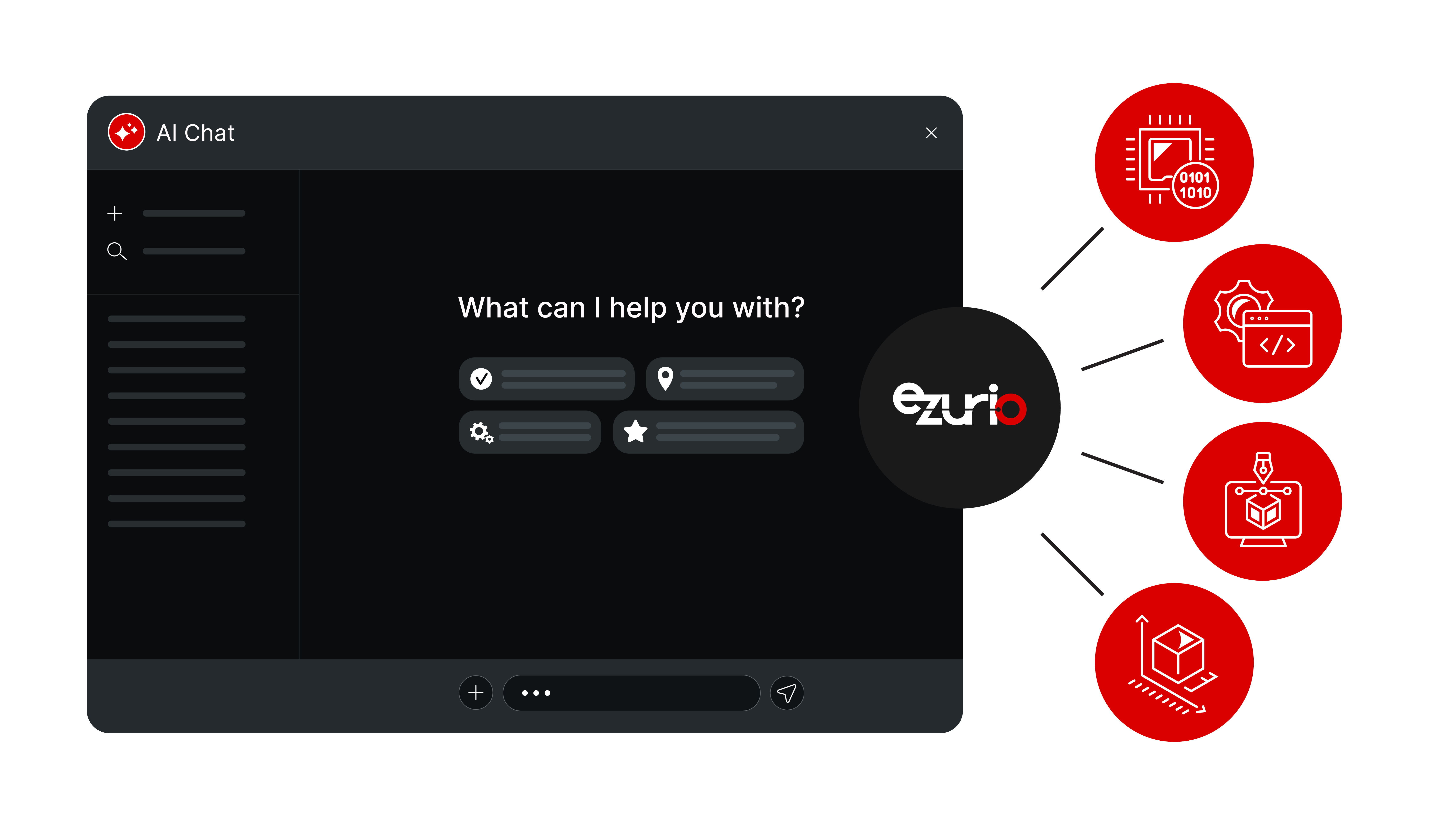
The server exposes Ezurio's technical documentation, hardware specifications, API specifications, firmware notes, SDK details, and reference designs as callable tools that an AI assistant can query directly. A response generated this way is grounded in the actual document set for the part number in question, rather than assembled from general training data about wireless modules or SOMs.

ezurio-mcp.png

A working example

Consider a carrier board built around an i.MX8M Mini SOM where the Wi-Fi interface fails to associate with a test access point.

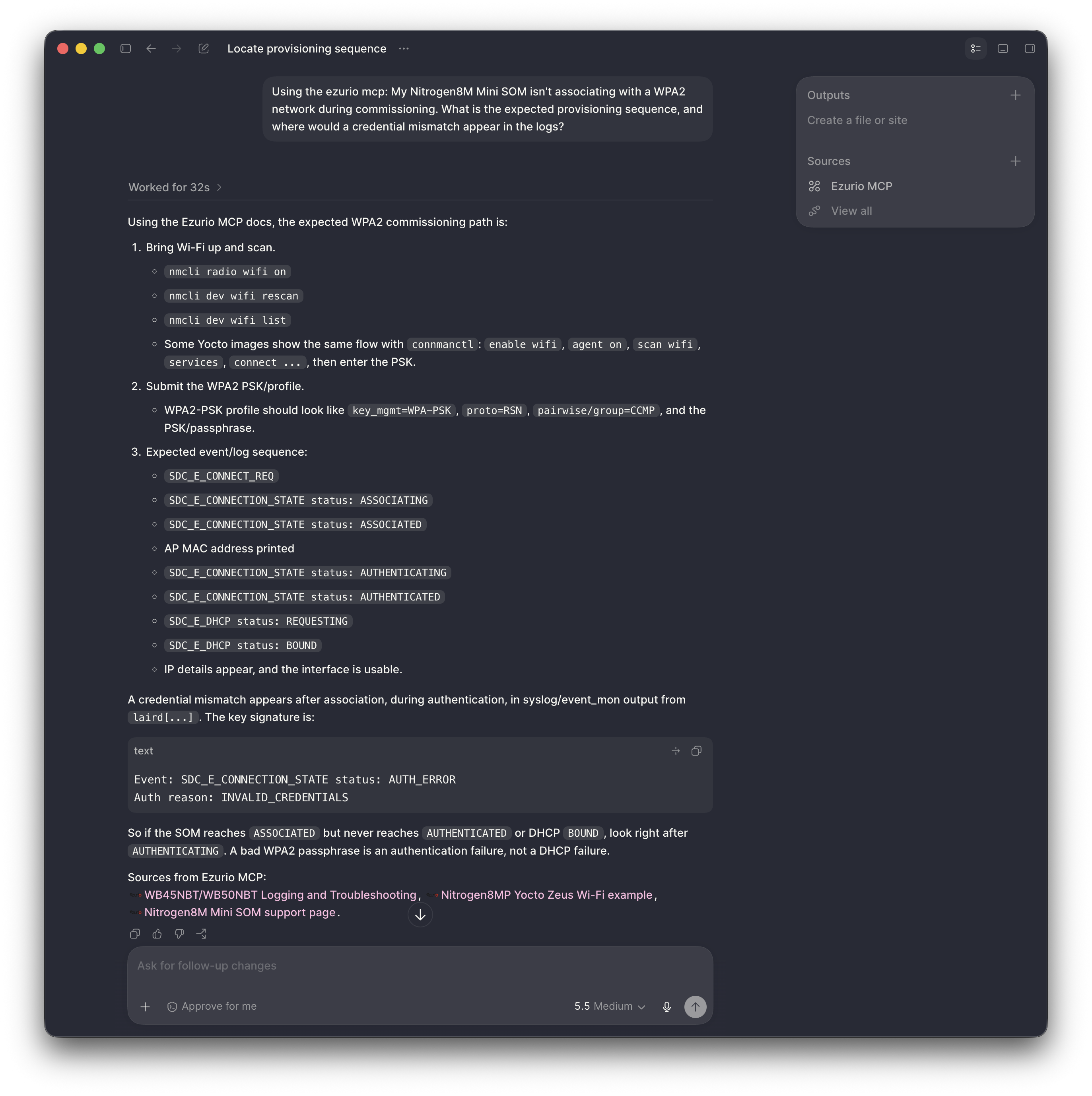
The developer asks: "My Nitrogen8M Mini SOM isn't associating with a WPA2 network during commissioning. What is the expected provisioning sequence, and where would a credential mismatch appear in the logs?"

With the MCP server connected, the assistant queries Ezurio's documentation for that SOM's Wi-Fi subsystem, retrieves the provisioning workflow and known log signatures for credential and security-profile mismatches, and walks through the sequence step by step, citing which configuration file or host interface call governs each stage. The answer is built from documentation specific to that module, not a generalized description of Wi-Fi provisioning across embedded Linux platforms.

This is the operational difference the server is meant to produce: fewer steps spent reconciling separate documents, more time spent confirming a fix against the actual hardware.

Ezurio MCP

How to connect it

The server is hosted remotely, so connecting it is a configuration step rather than a software installation. Ezurio maintains setup documentation for each supported client. The steps below cover Claude Desktop; the same server URL applies to Claude Code, ChatGPT, Cursor, VS Code, and Codex.

Server URL:

https://mcp.ezurio.com/ez/mcp

In Claude Desktop:

  1. Open Settings, then Connectors.
  2. Select Add custom connector.
  3. Enter a name ("Ezurio MCP"), a description, and the server URL above.
  4. Set authentication to OAuth and complete the login prompt.
  5. Open a new chat and check the hammer icon at the bottom of the window. It should list the Ezurio tools as available.

Custom Connectors require a Claude Pro, Max, Team, or Enterprise plan. Accounts without connector permissions can use a documented local stdio bridge via mcp-remote instead. Claude Code, Cursor, VS Code, Codex, and ChatGPT each have a separate setup guide on Ezurio's support site, all pointing to the same server URL.

Current limitations

The server is read-only. It cannot push firmware, modify device configuration, or take any write action against hardware or an Ezurio account; every response is informational. It has no access to live device telemetry, so it can describe expected behavior from documentation but cannot observe what a board is doing in real time. It is also scoped to Ezurio's own technical ecosystem, so it will not retrieve third-party silicon vendor documentation that Ezurio does not maintain directly, even for modules built on that vendor's chip. The server is currently in beta, so tool coverage and response accuracy are expected to change as Ezurio adds data sources.

Reporting issues and requesting new capabilities

Stale answers, missing data sources, or gaps in tool coverage should be reported through Ezurio's standard support channel rather than worked around. The documentation page for each supported client links back to Ezurio's support team, which is also the channel for requesting new data sources or proposing additional tools. There is no published roadmap beyond the current beta; the tool set is expected to be shaped directly by what developers report and request.

Conclusion

The Ezurio MCP server does not change what information exists; the datasheets, AT command references, and SDK documentation were already public. What it changes is how that information gets retrieved during development: instead of a developer manually cross-referencing several documents to confirm which one applies to their specific module and firmware revision, an AI assistant queries the relevant source directly and returns an answer scoped to that part number. For teams working across multiple Ezurio product lines, that consistency matters more over the life of a project than on any single debugging session, since the same retrieval path applies whether the question concerns a Bluetooth module, a Wi-Fi SoC, or a SOM bring-up. The server is in beta, so its coverage will expand as more data sources are added, but the connection method and the underlying protocol are stable today.

FAQ

Is the Ezurio MCP server free to use?

Access to the server itself does not carry a separate Ezurio fee, but using it through Claude Desktop or Claude.ai requires a plan that supports Custom Connectors (Pro, Max, Team, or Enterprise). Other clients have their own subscription or licensing requirements independent of Ezurio. 

Does the Ezurio MCP Server work with AI tools other than Claude?

Yes. Because MCP is an open standard, the same server URL connects to Claude Desktop, Claude Code, ChatGPT, Cursor, VS Code, and Codex. Ezurio publishes a separate setup guide for each client, but the underlying server and the data it exposes are identical across all of them. 

Can the Ezurio MCP server write firmware or change a device's configuration?

No. The server is read-only. It can retrieve and explain documentation, but it cannot push firmware, modify configuration, or take any action against connected hardware or an Ezurio account. 

Can the Ezurio MCP Server diagnose a problem by reading live data from my device?

No. The server has no access to live device telemetry. It can describe expected behavior based on documentation, including known error codes and log signatures, but it cannot observe what a specific board is doing in real time. 

Does the Ezurio MCP Server cover documentation from the silicon vendors Ezurio's modules are built on?

No. The server is scoped to documentation Ezurio maintains directly. It will not retrieve reference material published by a third-party chip vendor, even when an Ezurio module is built on that vendor's silicon. 

What should I do if the assistant gives an answer that doesn't match the documentation?

Report it through Ezurio's support channel rather than working around it. The server is in beta, and incorrect or outdated responses are the kind of issue Ezurio is actively tracking as it expands the tool set.