/filters:background_color(white)/2025-01/453-00219%20front4.416.png)
/filters:background_color(white)/2024-03/canvas-software-suite-red.png)
Answer
As part of making a secure MQTT connection, proper credentials are needed for a CA Certificate, a Client Certificate and a Client key. The Veda SL917 security library requires certificate and key files in PEM format to include a newline at the end of the file for proper formatting.
In some cases, certificates may not include this newline (LF) character. The example below shows a CA Certificate commonly used when connecting to the AWS IoT MQTT broker.
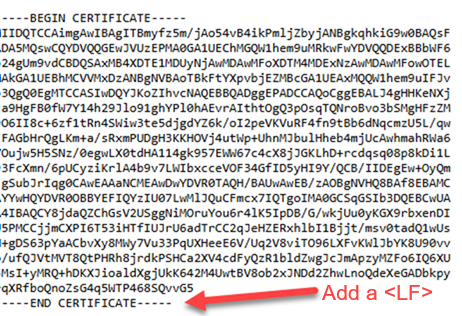
The certificate from the Amazon Trust page Amazon Root CA 1 may not include a terminating newline after the ----END CERTIFICATE----. To add this, open the file in a text editor and type ENTER at the end of the file to add a newline, then save the updated certificate. The new file should be ready for use with Canvas on the Veda SL917.