Sona™ NX611 - Wi-Fi 6 + Bluetooth® 5.4 Module

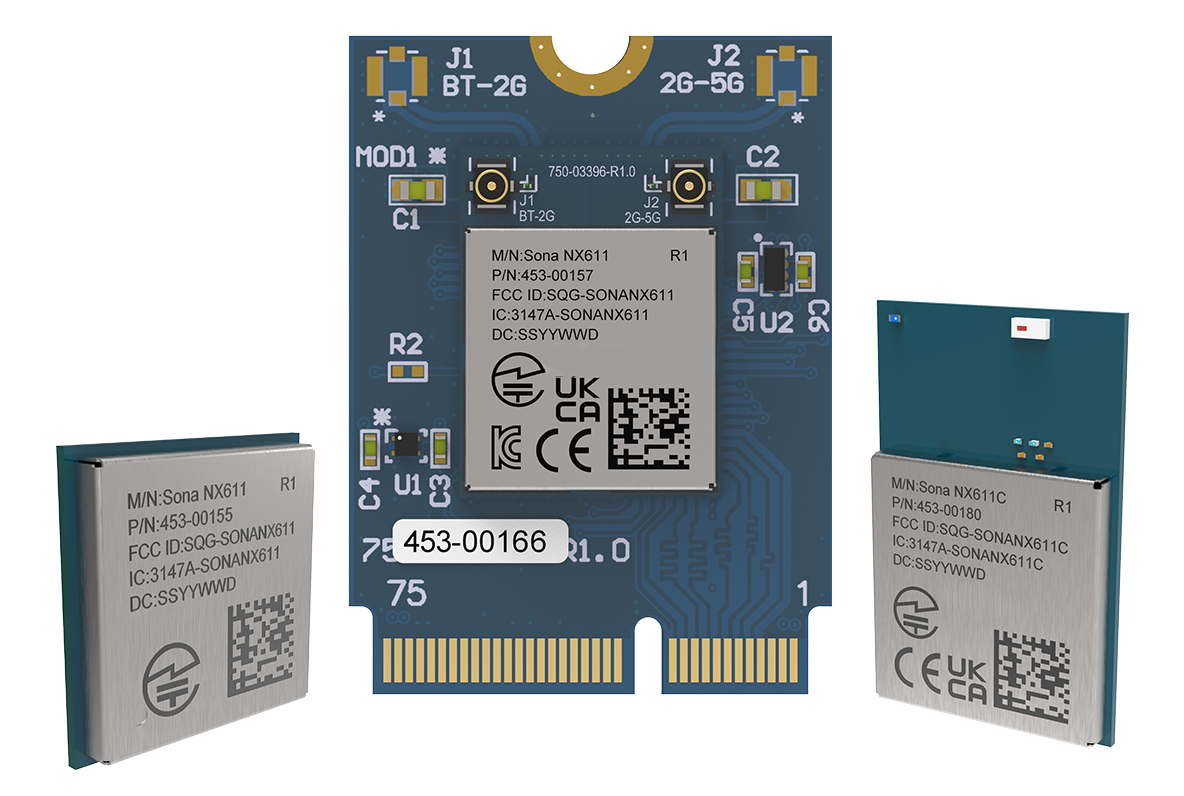
Overview
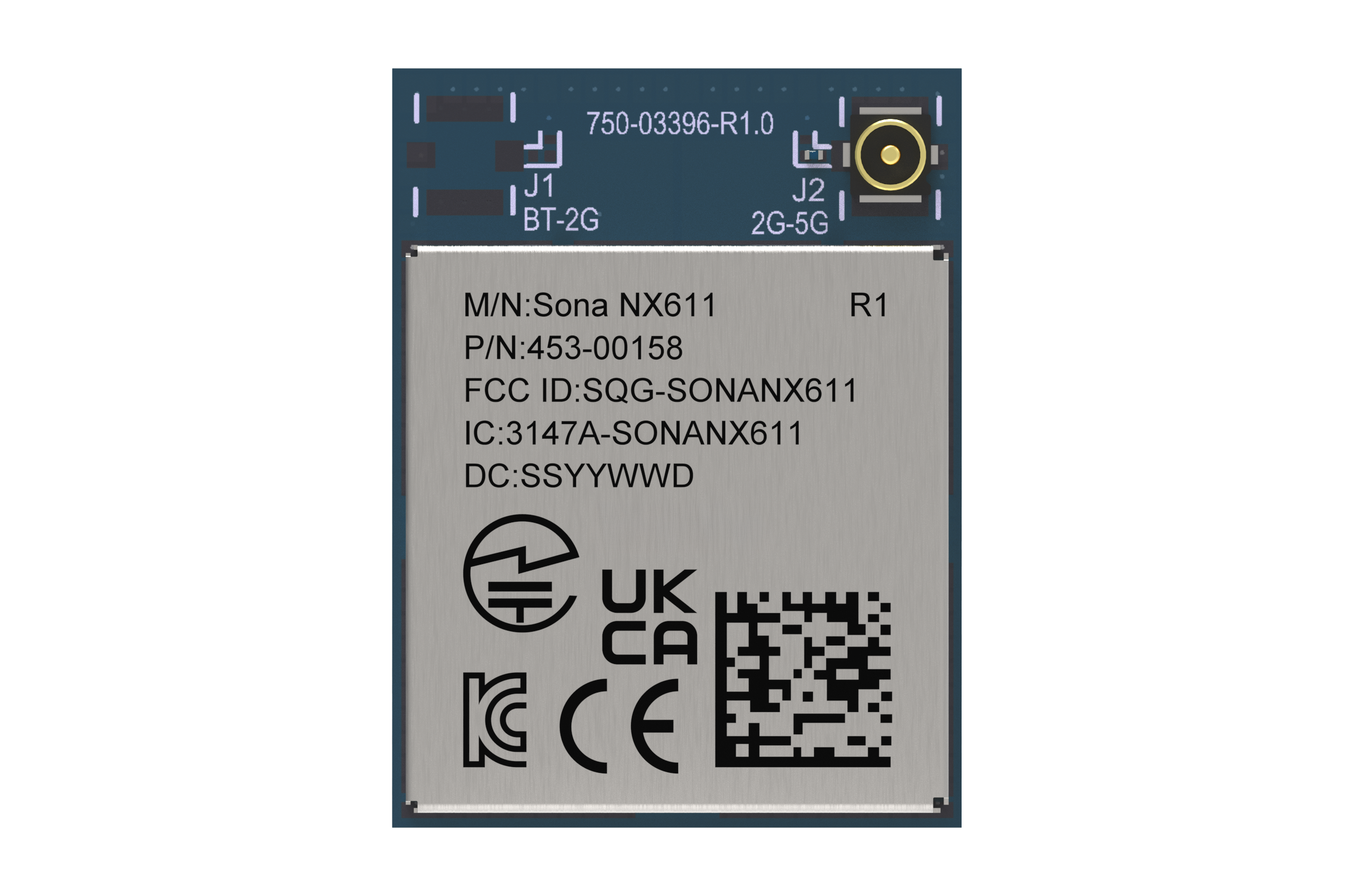
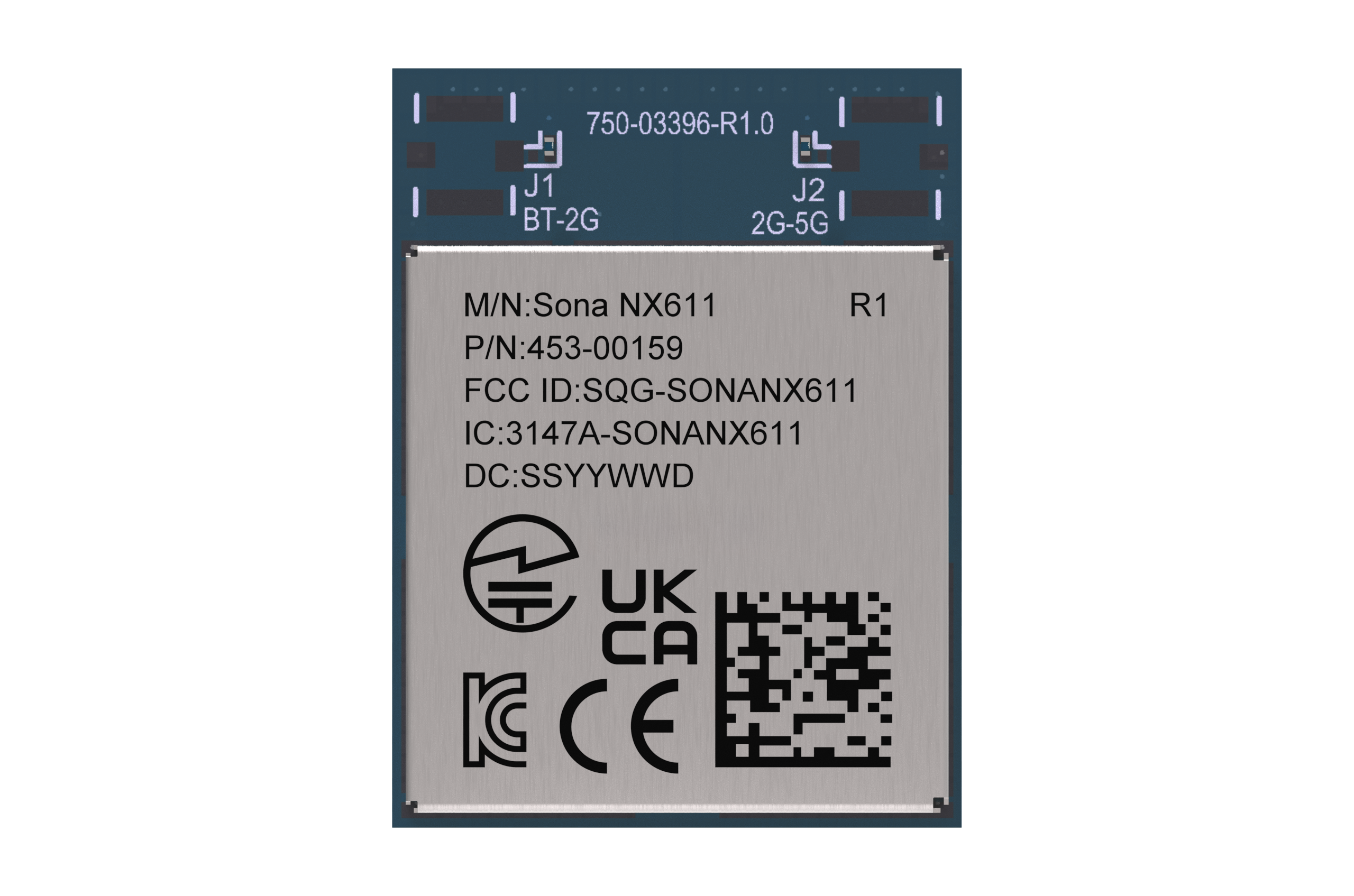
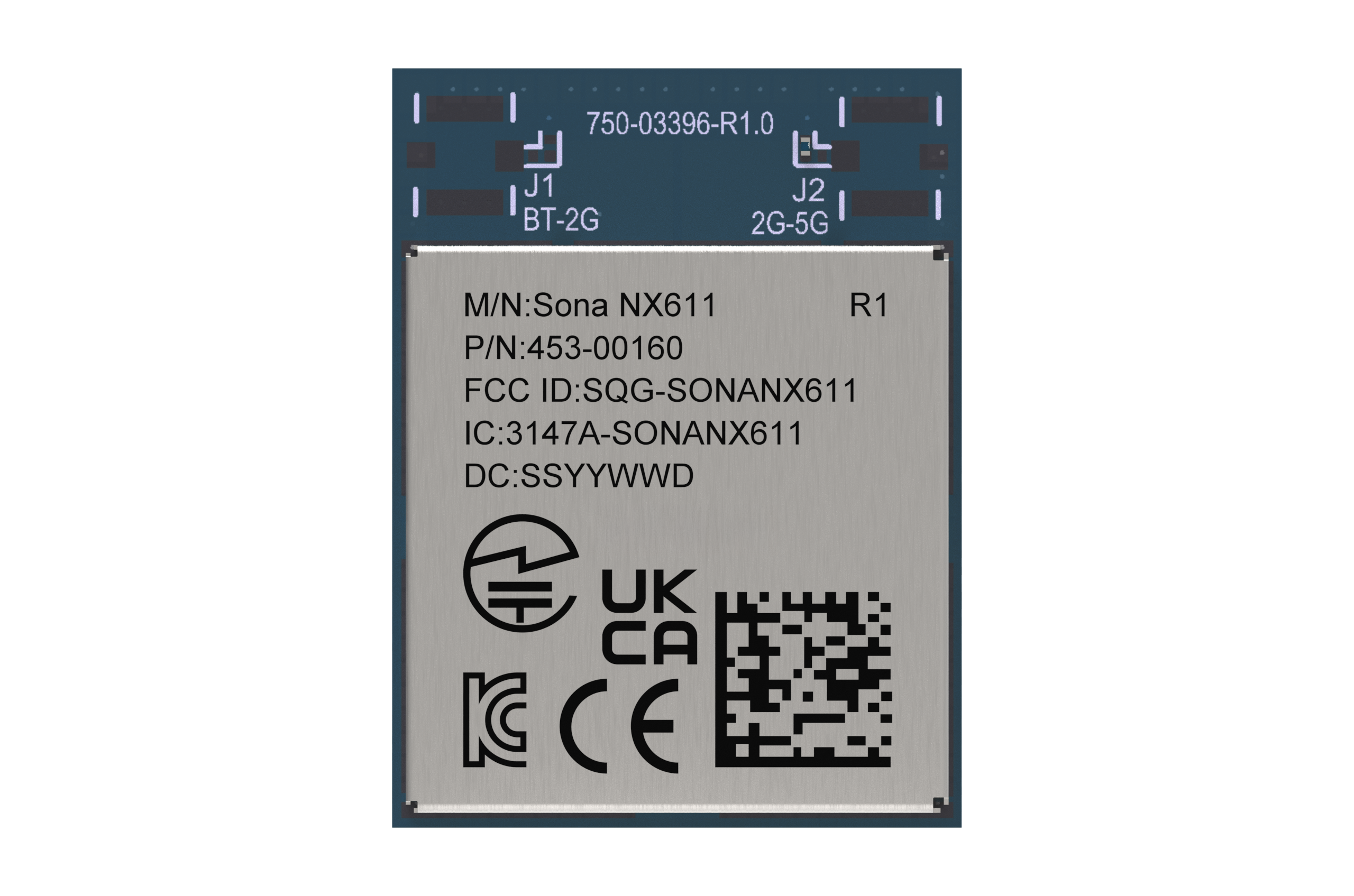
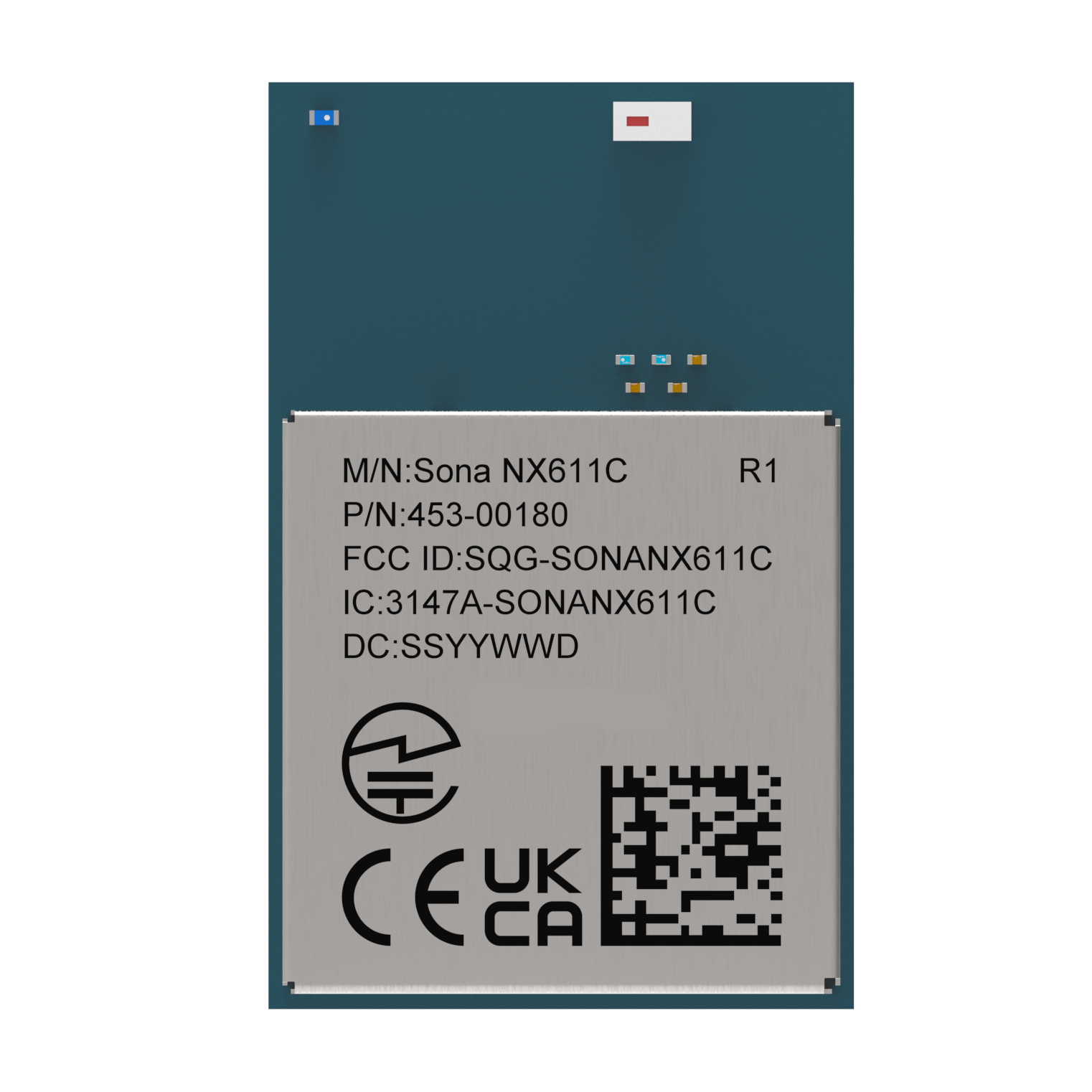
Introducing the latest of the Sona™ Wi-Fi 6 product line from Ezurio, the NX611, based upon NXP’s leading IW611 Wi-Fi 6 chipset. A truly robust industrial IoT module: one that’s rugged, small, globally certified, has reliable connectivity, and is easy to integrate.
Our new Sona™ NX611 answers the call for next-gen wireless IoT. The Sona™ NX611 is purpose-built for industrial IoT connectivity with access to SDIO and HS-UART host interfaces, industrial operating temp range, latest generation Wi-Fi and BT combined with a small form factor SIP, pluggable M.2 2230 type E card and SMT M.2 packaging.
When matched with our industry leading services and support, the Sona NX611 is a unique solution for your medical or industrial application.
- Compatible: Tested with the NXP family of processors and Ezurio’s Linux Backports.
- Reliable: Integrated PA (Power Amplifier) and LNA (Low Noise Amplifier) with 1x1 antenna for reliable connectivity in harsh RF environments.
- Robust: Rich feature-set including 802.11ax Wi-Fi 6 and Dual-Mode BT v5.4. Industrial operating temperature range, and options for solder-down module are suitable for industrial rugged applications.
- Secure: Supports the latest WPA2/WPA3 Enterprise security standards.
Buy Now
| Seller | Stock | Buy |
|---|---|---|
 |
7672 in stock | Buy |
 |
2975 in stock | Buy |
 |
313 in stock | Buy |
 |
0 in stock | Buy |
|
0 in stock | Buy |
|
13 in stock | Buy |
|
0 in stock | Buy |
|
0 in stock | Buy |
|
0 in stock | Buy |
|
250 in stock | Buy |
|
0 in stock | Buy |
|
0 in stock | Buy |
|
0 in stock | Buy |
|
1000 in stock | Buy |
|
0 in stock | Buy |
|
0 in stock | Buy |
|
0 in stock | Buy |
|
29 in stock | Buy |
|
0 in stock | Buy |
|
0 in stock | Buy |
|
0 in stock | Buy |
|
250 in stock | Buy |
|
246 in stock | Buy |
|
0 in stock | Buy |
|
434 in stock | Buy |
|
0 in stock | Buy |
|
0 in stock | Buy |
|
0 in stock | Buy |
|
0 in stock | Buy |
|
247 in stock | Buy |
|
98 in stock | Buy |
|
0 in stock | Buy |
|
0 in stock | Buy |
|
0 in stock | Buy |
|
986 in stock | Buy |
|
0 in stock | Buy |
|
0 in stock | Buy |
|
0 in stock | Buy |
|
0 in stock | Buy |
|
0 in stock | Buy |
|
0 in stock | Buy |
|
0 in stock | Buy |
|
1489 in stock | Buy |
|
0 in stock | Buy |
|
0 in stock | Buy |
|
0 in stock | Buy |
|
0 in stock | Buy |
|
246 in stock | Buy |
|
65 in stock | Buy |
|
0 in stock | Buy |
|
0 in stock | Buy |
|
14 in stock | Buy |
|
4 in stock | Buy |
|
0 in stock | Buy |
|
0 in stock | Buy |
|
0 in stock | Buy |
|
0 in stock | Buy |
|
0 in stock | Buy |
|
0 in stock | Buy |
|
0 in stock | Buy |
|
13 in stock | Buy |
|
8 in stock | Buy |
|
0 in stock | Buy |
|
0 in stock | Buy |
 |
10 in stock | Buy |
|
9 in stock | Buy |
|
8 in stock | Buy |
|
0 in stock | Buy |
|
0 in stock | Buy |
|
193 in stock | Buy |
|
0 in stock | Buy |
|
0 in stock | Buy |
|
0 in stock | Buy |
|
1436 in stock | Buy |
|
0 in stock | Buy |
|
0 in stock | Buy |
|
0 in stock | Buy |
|
0 in stock | Buy |
|
24 in stock | Buy |
|
24 in stock | Buy |
|
10 in stock | Buy |
|
10 in stock | Buy |
|
0 in stock | Buy |
|
561 in stock | Buy |
|
3 in stock | Buy |
|
0 in stock | Buy |
|
0 in stock | Buy |
|
110 in stock | Buy |
|
90 in stock | Buy |
 |
19 in stock | Buy |
|
0 in stock | Buy |
|
0 in stock | Buy |
|
3110 in stock | Buy |
|
2385 in stock | Buy |
|
0 in stock | Buy |
|
0 in stock | Buy |
|
0 in stock | Buy |


EZ Connectivity Stack
Not just a driver. The whole stack.
The wireless software layer that fits your environment — not the other way around. 75+ kernel versions supported (v2.6–v6.12+), bi-annual CVE releases, WPA3 Enterprise + EAP-FAST, and Adaptive Worldwide Mode. When an Ezurio Wi-Fi module is in your SOM, the full connectivity stack comes with it — one vendor for silicon and software.



Dev Kits
Jumpstart your development in minutes with our powerful development kits.
-
/filters:background_color(white)/2024-06/453-00155-K1.png)
453-00155-K1
- DVK, Sona NX611, 2 x RF Trace, SIP, 2 x MHF4
- 2x RF Trace Pin
-
/filters:background_color(white)/2024-06/453-00156-K1.png)
453-00156-K1
- DVK, Sona NX611, 1 x RF Trace, SIP, 1 x MHF4
- 1x RF Trace Pin
-
/filters:background_color(white)/2024-06/453-00165-K1.png)
453-00165-K1
- DVK, Sona NX611, 1216/2230, 2 x MHF
- 2x MHF4 Connector
-
/filters:background_color(white)/2024-06/453-00166-K1.png)
453-00166-K1
- DVK, Sona NX611, 1216/2230, 1 x MHF
- 1x MHF4 Connector
-
/filters:background_color(white)/2025-04/453-00180-K1.png)
453-00180-K1
- DVK, Sona NX611, 1x Chip Antenna
- Chip Antenna
-
/filters:background_color(white)/2025-07/STM32_to_2230_Adapter%2C_M_2_2230%20Render-front.569.png)
453-00376
For total design flexibility on STM32 Nucleo-144 hardware, develop with any of our Sona, LWB+, or LWB5+ M.2 2230 radios...
- Development Kit, Wi-Fi M.2 2230 to STM32 Nucleo-144 adapter board
Certified Antennas
Simplify compliance with antennas tested and certified for this module.
-
/filters:background_color(white)/2024-10/FlexMIMO6E--Crop.png)
EFD2471A3S-10MH4L
FlexMIMO / FlexMIMO 6E MIMO Internal Antenna
-
/filters:background_color(white)/2024-12/EMF2471.png)
EMF2471A3S-10MH4L
Mini NanoBlade Flex / Flex 6E Series Internal Antenna
-
/filters:background_color(white)/2024-10/FlexPIFA%206E3.png)
EFB2471A3S-10MH4L
FlexPIFA / FlexPIFA 6E Flexible Adhesive-Backed PIFA Internal Antennas
-
/filters:background_color(white)/2024-03/FlexPiFa2-5Ghz_LC.png)
001-0021
FlexPIFA / FlexPIFA 6E Flexible Adhesive-Backed PIFA Internal Antennas
Dual band antenna with MHF4L connector
Specifications
Connectivity
Bluetooth v5.4 (BDR + EDR + BLE)
Up to 600 Mbps @ 5 GHz
Environment
Packaging
M.2 1216 SMT
M.2 1218 SMT
M.2 2230 Key E Pluggable
Interface
Power
Up to +19 dBm (Bluetooth LE and BDR 1,2,3)
Up to +10 dBm (Bluetooth EDR)
| Part Number | Price @ 1K | Antenna Type | Chipset (Wireless) | Form Factor | Frequency Range (Max) | Frequency Range (Min) | Frequency Range 2 (Max) | Frequency Range 2 (Min) | Interfaces - General | Packaging | Product Type | Software | System Architecture | Technology |
|---|---|---|---|---|---|---|---|---|---|---|---|---|---|---|
/filters:background_color(white)/2025-12/Sona%20NX611%20SIP-453-00155%20front.png) 453-00155C Active Buy Options | N/A | 2x RF Trace Pin | NXP IW611 | SIP | 2495 MHz | 2400 MHz | 5825 MHz | 5150 MHz | SDIO (Wi-Fi), HS-UART(BT) | Cut Tape | Embedded Module | Linux, Android | Hosted | 802.11ax, Bluetooth 5.4 |
453-00155R Active Buy Options | N/A | 2x RF Trace Pin | NXP IW611 | SIP | 2495 MHz | 2400 MHz | 5825 MHz | 5150 MHz | SDIO (Wi-Fi), HS-UART(BT) | Tape and Reel | Embedded Module | Linux, Android | Hosted | 802.11ax, Bluetooth 5.4 |
/filters:background_color(white)/2025-12/Sona%20NX611%20SIP-453-00156%20front.png) 453-00156C Active Buy Options | N/A | 1x RF Trace Pin | NXP IW611 | SIP | 2495 MHz | 2400 MHz | 5825 MHz | 5150 MHz | SDIO (Wi-Fi), HS-UART(BT) | Cut Tape | Embedded Module | Linux, Android | Hosted | 802.11ax, Bluetooth 5.4 |
453-00156R Active Buy Options | N/A | 1x RF Trace Pin | NXP IW611 | SIP | 2495 MHz | 2400 MHz | 5825 MHz | 5150 MHz | SDIO (Wi-Fi), HS-UART(BT) | Tape and Reel | Embedded Module | Linux, Android | Hosted | 802.11ax, Bluetooth 5.4 |
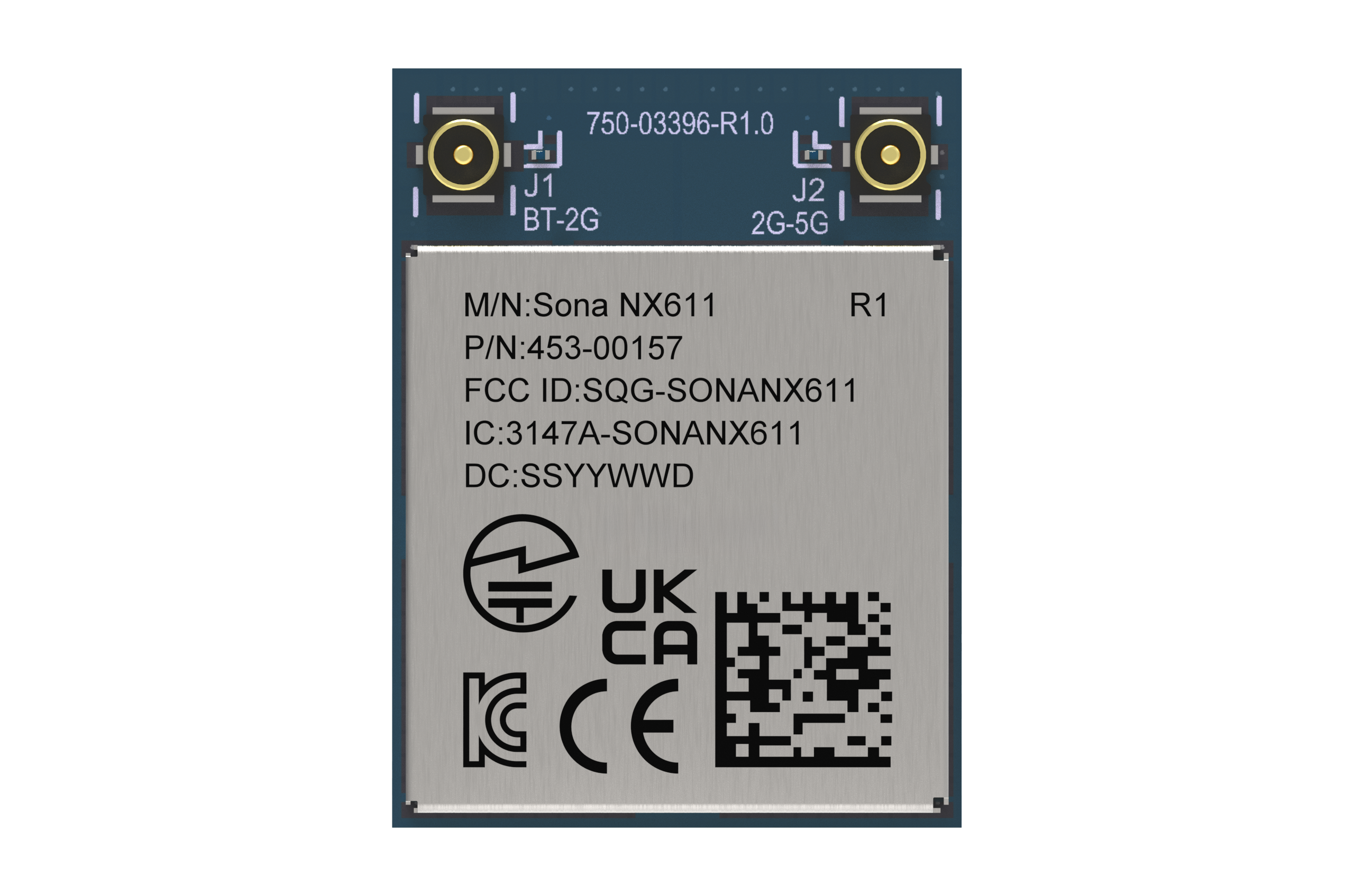
/filters:background_color(white)/2025-12/453-00157-Render-Front.41.png) 453-00157C Active Buy Options | N/A | 2x MHF4 Connector | NXP IW611 | M.2 1216 | 2495 MHz | 2400 MHz | 5825 MHz | 5150 MHz | SDIO (Wi-Fi), HS-UART(BT) | Cut Tape | Embedded Module | Linux, Android | Hosted | 802.11ax, Bluetooth 5.4 |
/filters:background_color(white)/2025-12/453-00158-Render-Front.png) 453-00157R Active Buy Options | N/A | 2x MHF4 Connector | NXP IW611 | M.2 1216 | 2495 MHz | 2400 MHz | 5825 MHz | 5150 MHz | SDIO (Wi-Fi), HS-UART(BT) | Tape and Reel | Embedded Module | Linux, Android | Hosted | 802.11ax, Bluetooth 5.4 |
453-00158C Active Buy Options | N/A | 1x MHF4 Connector | NXP IW611 | M.2 1216 | 2495 MHz | 2400 MHz | 5825 MHz | 5150 MHz | SDIO (Wi-Fi), HS-UART(BT) | Cut Tape | Embedded Module | Linux, Android | Hosted | 802.11ax, Bluetooth 5.4 |
453-00158R Active Buy Options | N/A | 1x MHF4 Connector | NXP IW611 | M.2 1216 | 2495 MHz | 2400 MHz | 5825 MHz | 5150 MHz | SDIO (Wi-Fi), HS-UART(BT) | Tape and Reel | Embedded Module | Linux, Android | Hosted | 802.11ax, Bluetooth 5.4 |
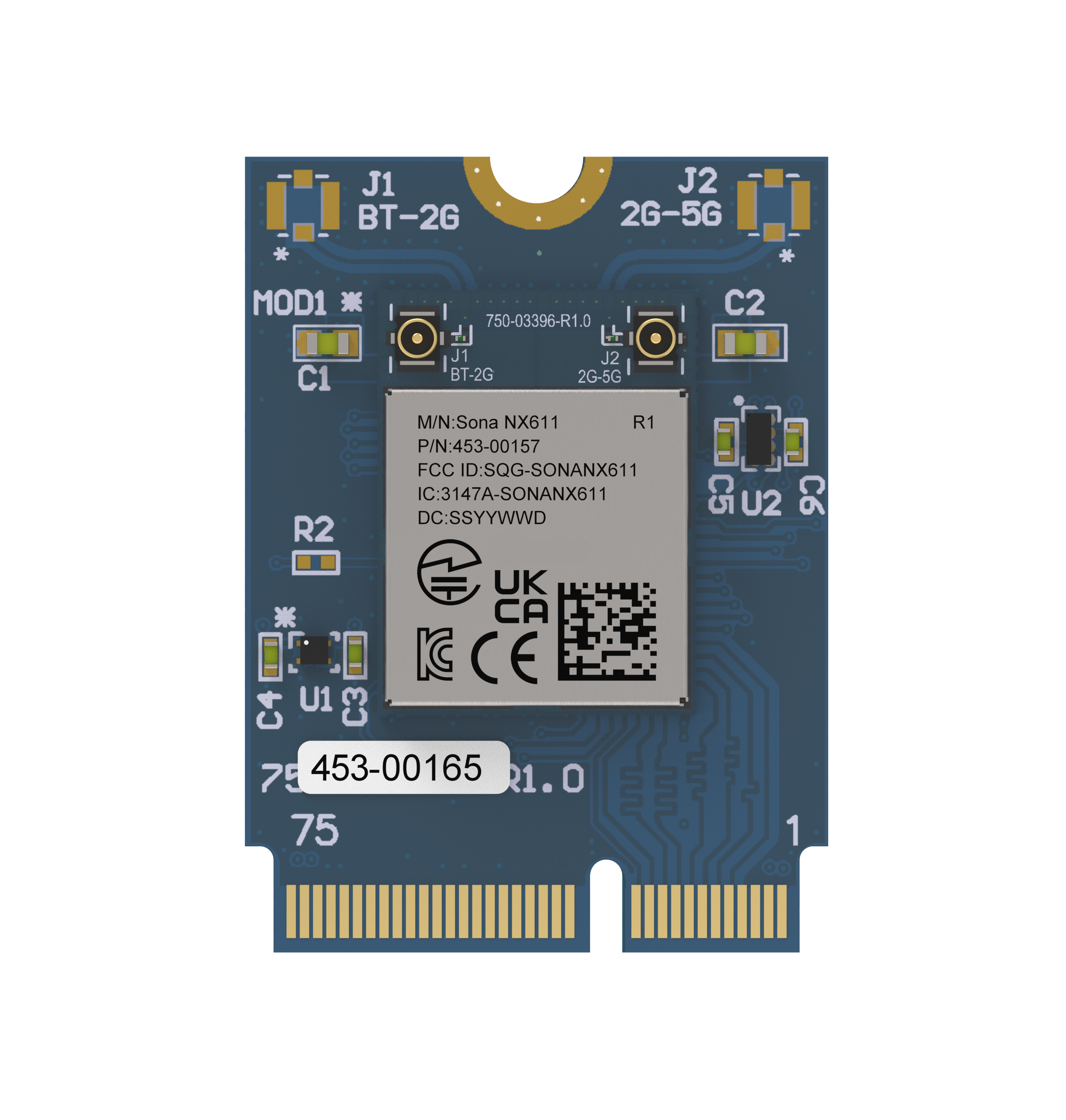
/filters:background_color(white)/2025-12/453-00165-SonaNX611%202230-front.png) 453-00165 Active Buy Options | N/A | 2x MHF4 Connector | NXP IW611 | M.2 2230 | 2495 MHz | 2400 MHz | 5825 MHz | 5150 MHz | SDIO (Wi-Fi), HS-UART(BT) | Tray | Embedded Module | Linux, Android | Hosted | 802.11ax, Bluetooth 5.4 |
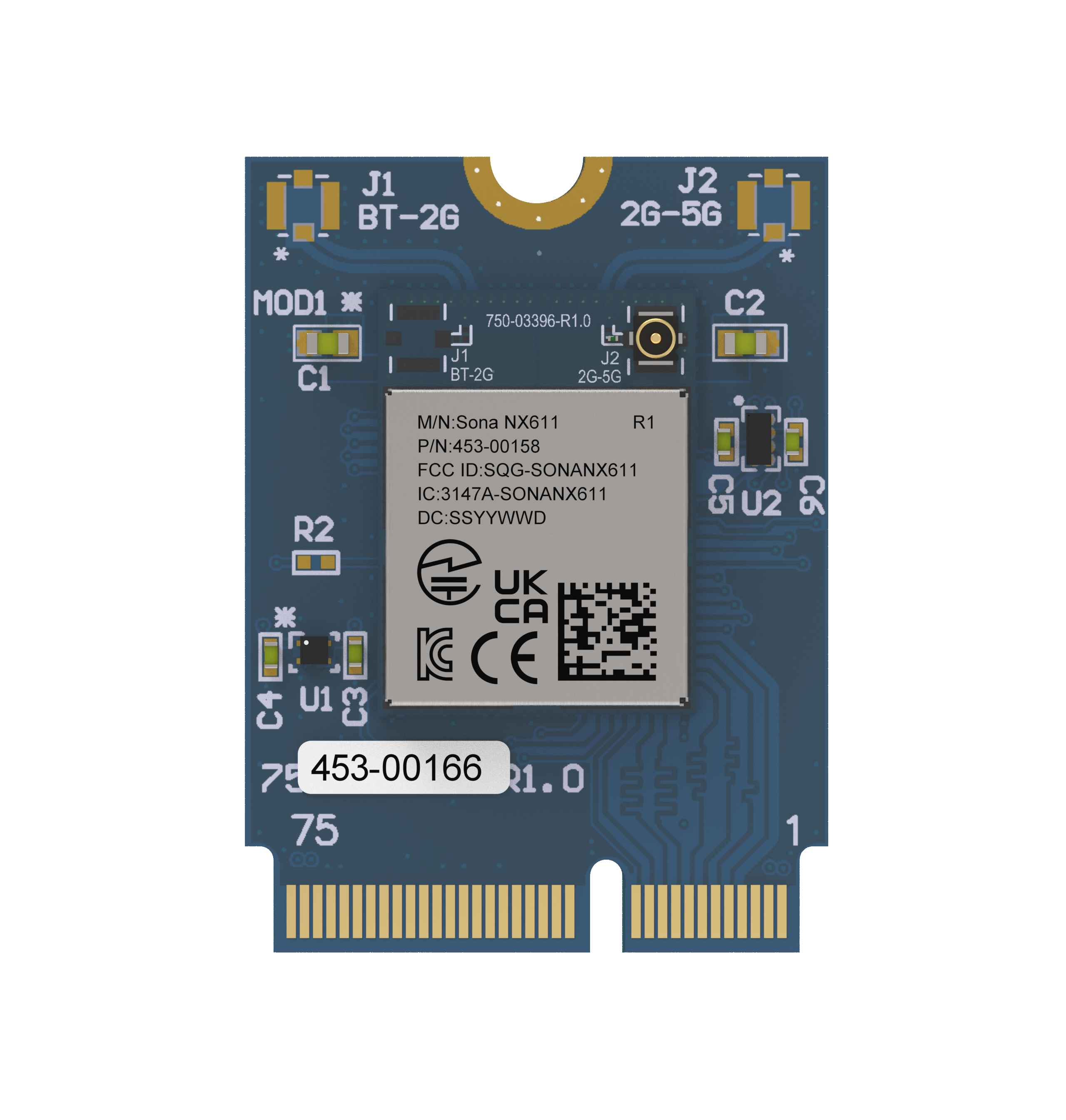
/filters:background_color(white)/2025-12/453-00166-SonaNX611%202230-front.png) 453-00166 Active Buy Options | N/A | 1x MHF4 Connector | NXP IW611 | M.2 2230 | 2495 MHz | 2400 MHz | 5825 MHz | 5150 MHz | SDIO (Wi-Fi), HS-UART(BT) | Tray | Embedded Module | Linux, Android | Hosted | 802.11ax, Bluetooth 5.4 |
/filters:background_color(white)/2025-12/Sona%20NX611C%20front.455.png) 453-00180C Active Buy Options | N/A | Chip Antenna | NXP IW611 | 12mm x 18mm SMT | 2495 MHz | 2400 MHz | 5825 MHz | 5150 MHz | SDIO (Wi-Fi), HS-UART(BT) | Cut Tape | Embedded Module | Linux, Android | Hosted | 802.11ax, Bluetooth 5.4 |
453-00180R Active Buy Options | N/A | Chip Antenna | NXP IW611 | 12mm x 18mm SMT | 2495 MHz | 2400 MHz | 5825 MHz | 5150 MHz | SDIO (Wi-Fi), HS-UART(BT) | Tape and Reel | Embedded Module | Linux, Android | Hosted | 802.11ax, Bluetooth 5.4 |
Documentation
Browse Application Notes, Certifications, Datasheets, Documentation, Product Briefs, Software and Technical Drawings in our Support & Documentation Center.
How to set 40MHz in 2.4G band with NX611 in STA mode?
To support this feature, need to upgrade the SW to 13.24.0.20 release.
By default, only 20MHz enabled in 2.4GHz band.
To enable 40MHz bandwidth, need to add one more setting, httxcfg_2 as 0x010062 in
/lib/firmware/nxp/wifi_prod_serdev_params.conf , as below
SDIW612 = {
#Firmware to load via Wi-Fi interface
# wifi : sd_w61x:wlan.bin.se
# wifi & bt: sduart_nw61x.bin.se
fw_name=nxp/sduart_nw61x_v1.bin.se
#Interfaces: Bit 0: STA, Bit 1: uAP, Bit 2: WIFIDIRECT
drv_mode=1
#WiFi Independent Reset (Requires using sd_w61x firmware)
# 0xFF00:Disable, default
# 0xFF01:Out-of-Band
# 0xFF02:In-Band
#indrstcfg=0xFF02
#Self Managed Regulatory (Do not change)
cntry_txpwr=2
#Name of managed interface, default is mlan
sta_name=wlan
httxcfg_2=0x010062
#Debug Level
drvdbg=7
}
What interfaces does the Sona NX611 use for Wi-Fi and Bluetooth?
The Sona NX611 uses SDIO 3.0 for Wi-Fi and HS-UART for Bluetooth.
What Bluetooth features are supported in the Sona NX611?
The Sona NX611 is a 5.4 spec Dual-Mode Bluetooth radio. The primary Bluetooth features are:
- BDR + EDR + BLE (Classic + BLE)
- LE 2 Mbps PHY
- LE Coded (Long Range PHY)
- Adaptive Frequency Hopping (AFH)
- Secure Simple Pairing (SSP)
- UART baud rates upto 4 Mbps
- 7 x Classic Bluetooth links
- 16 x BLE links
- Secure connection (AES128 & ECC256)
How do I enable Bluetooth in the Sona-NX611
The Sona-NX611 supports two different configurations to use the Bluetooth radio. Each of these methods require that the Wi-Fi firmware loads a specific Bluetooth firmware. The methods are as follows:
btattach
This method uses the traditional btattach implementation for the Bluetooth serial interface. For
this method the Wi-Fi firmware must load the sduart_nx61x firmware.
modprobe moal fw_name=sduart_nx61x_v1.bin.se
After the Wi-Fi firmware has loaded the Bluetooth firmware, the btattach command may be issued.
Example:
/bin/nohup /usr/bin/btattach -B /dev/ttymxc0 -P h4 -S 3000000 2>&1 > /dev/null&
serdev
An alternative to btattach is serdev (available in kernel 4.2 or higher).
This mechanism is configured in the device tree. Below is a sample device tree snippet that configures the serial
port for use with the Sona-NX611 radio on an NXP i.mx 8M+ EVK.
Sample:
&uart1 {

           bluetooth {

            compatible = "nxp,88w8987-bt";

            fw-init-baudrate = <3000000>;

                     };

        };
For this method the Wi-Fi firmware must load the sd_w61x firmware
modprobe moal fw_name=sd_w61x_v1.bin.se
Note: The version numbers of the firmware files will change over time, please use the version that is loaded in your /lib/firmware/nxp directory on your device.
How do I configure AP-Sta mode using nmcli?
An Ezurio Wi-Fi module can be configured for AP-Sta mode with the following nmcli commands:
- iw dev wlan0 interface add wlan1 type __ap
- nmcli con add con-name myap ifname wlan1 type wifi ssid myapssid autoconnect yes 802.11-wireless.mode ap ipv4.method shared
- nmcli con add con-name mysta ifname wlan0 type wifi ssid mystassid
This is assumes that you have the iw and dnsmasq packages installed in your build.
Note: In the above configuration, the Access Point will follow the channel that the station associates to. Therefore it is reccomended that the client is configured to use a 2.4 GHz channel or the U-NII-1 channels in the 5 GHz band as the Ezurio radios will not work as DFS masters and do not support AP mode in the rest for the 5 GHz channels nor in the 6 GHz band.>
How to support coexistence with external LTE in NX611?
In HW part, need to wire PTA interface in between LTE and NX611. EXT_REQ and EXT_GNT are mandatory pins, EXT_PRI, EXT_STATE and EXT_FREQ are optional.
In SW part, coexistence arbitration mechanism is always operational and it's fixed in firmware.
Is there a conflict between NetworkManager and systemd-networkd?
Yes, If you decide to use NetworkManager, then systemd-networkd should be removed from the system. We would recommend changing Yocto systemd PACKAGECONFIG to not build it into image.
What is the new longer guard interval in Wi-Fi 6?
One of the new features in Wi-Fi 6 is a longer guard interval. The guard interval is used to help mitigate multipath or overlapping transmissions. This is done by adding a delay between symbols (set of 0s and 1s). The shorter the guard interval theoretically the faster the throughput but you are more susceptible to multipath due to metal and other reflective surfaces.
Wi-Fi 4 and 5 supported two guard intervals:
- Short - 0.4 microseconds
- Long - 0.8 microseconds
Wi-Fi 6 supports 3 guard intervals:
- Normal - 0.8 microseconds
- Double - 1.6 microseconds
- Quadruple - 3.2 microseconds
In Wi-Fi 6 modules, the 1024-QAM allows up to a 4x longer symbol duration than in Wi-Fi 5, so the efficiency is still similar to Wi-Fi 5 even with Quadruple guard interval.
What guard interval should I use for various use cases?
A general rule of thumb should be:
- Normal - Use this in a clean open area without a lot of metal. This would also best be used outdoors. Normal Guard Interval is the best choice when throughput is of the utmost importance.
- Double - This is a good compromise between Normal and Quadruple. It will not provide as good of throughput as Normal but will reduce the likelihood of multipath in areas that are smaller or have some metal.
- Quadruple - This would be used in small areas or areas with a lot of metal. This would also be the best choice in areas with a lot of clients to reduce the overhead of retrying packets.
Are all of the Wi-Fi 6 features available in the 2.4 GHz band?
All of the Wi-Fi 6 features are supported in the 2.4 GHz band in a Wi-Fi 6 radio.
This was not the case in Wi-Fi 5. It reverted back to Wi-Fi 4 in the 2.4 GHz channels.
Do Ezurio Wifi modules work with OpenWRT?
Yes, Laird Wifi modules can be integrated with OpenWRT like with other Linux operating systems.
See Lairds "Guide" Section for an example:
How do I determine which LRU installer I need?
In the Regulatory Tools package you receive there are many files. The filename structure is:
{radio-type}-{toolchain}-{version}.tar.bz2For example, the file mfg60n-arm-eabihf-10.135.0.6.tar.bz2 would be for our 60 Series radio running on a system with a GNU Embedded Application Binary Interface (High Float) running version 10.135.0.6 of the Laird firmware.
An easy way to determine your toolchain is to use the command:
ls -l /ld-linux*Where can I find the Regulatory Test tools for Ezurio's Wi-Fi products?
For Regulatory Testing you will be required to
load a special firmware to put the radio into "Test Mode". The code
for our Wi-Fi modules is available-by-request by opening a case with our
Support Team at https://www.ezurio.com/resources/support.
Become an Ezurio Customer to Gain Exclusive Access to Our Design Experts
- Antenna Scans
- Antenna selection and placement
- Custom antenna design
- Worldwide EMC testing / certifications
- Embedded RF hardware / firmware design
- Cloud architecture and integration
- Mobile application development
- Product & Industrial Design
Distributors
| Distributor | Phone Number | Region | Website |
|---|---|---|---|
| Arrow Electronics | 1-855-326-4757 +44 2039 365486 |
APAC, North America, South America, EMEA | Website |
| Braemac Australia, New Zealand, South East Asia | +61 2 9550 6600 +64 9 477 2148 |
APAC | Website |
| DigiKey | 1-800-344-4539 |
North America, South America, APAC, EMEA | Website |
| EBV Elektronik | EMEA | Website | |
| Farlink Technology China, Hong Kong | +86 13266922199 |
APAC | Website |
| Farnell | 1-800-936-198 +44 3447 11 11 22 |
EMEA | Website |
| Future Electronics | 1-800-675-1619 1-514-428-8470 |
North America, South America, APAC, EMEA | Website |
| Glyn | +49-6126-590-0 |
EMEA | Website |
| Hy-Line Germany Only | +49 89 614 503 0 |
EMEA | Website |
| Jetronic China, Hong Kong and Taiwan | 852-27636806 |
APAC | Website |
| M2M Germany | +49-6081-587386-0 |
EMEA | Website |
| Martinsson | +46 8 7440300 |
EMEA | Website |
| McCoy South East Asia | +65 6515 2988 |
APAC | Website |
| Mouser Electronics | 1-800-346-6873 +44 1494 427500 |
North America, South America, APAC, EMEA | Website |
| RS | +852-2421-9898 +44 3457-201201 |
North America, South America, APAC, EMEA | Website |
| Solsta UK Only | +44 (0) 1527 830800 |
EMEA | Website |
| Supreme Components International India, South East Asia | +65 6848-1178 |
APAC | Website |
| Symmetry Electronics | 1-866-506-8829 |
North America | Website |
| Tekdis Australia and New Zealand | +61 3 8669 1210 |
APAC | Website |
| Telsys | +972 3 7657666 |
EMEA | Website |
| WPG | +44 1628 958460 |
EMEA | Website |